
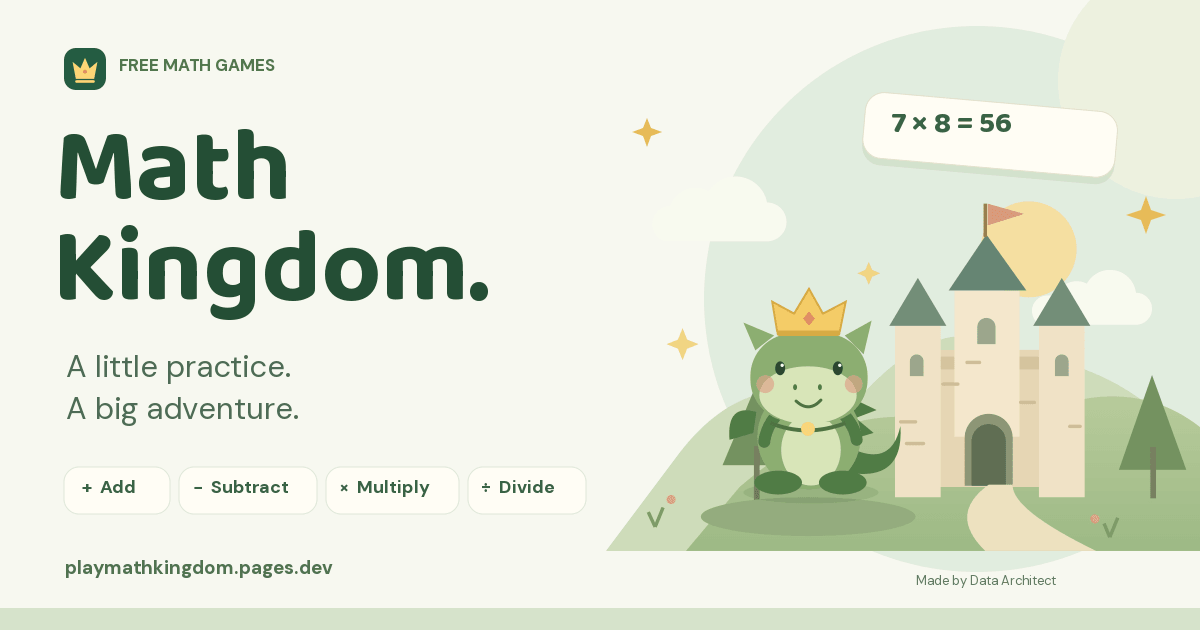
The best moment in this project happened away from the code. My son was playing Math Kingdom on his tablet and asked where I had found the game. I told him I made it. He did not believe me at first. Then he saw The Data Architect name on the page.
That reaction meant a lot. I had started with a very personal question: could I make math practice something he would choose to come back to? Now Math Kingdom is available for other families to try, too.
A real reason to build something
My son needed more practice with multiplication. The harder tables could feel like a wall, and another page of questions was not the experience I wanted to create. I wanted a friendly place where understanding a problem helped him do something fun.
The idea grew into a free browser game designed for children from kindergarten through fourth grade. Players choose a dragon, explore an adventure map, earn gems and unlock accessories. Addition, subtraction, multiplication and division each have their own path.
The strongest early feedback has been watching my son keep playing and seeing where he gets stuck. That is a parent’s observation, not a study of learning outcomes. It gives me a useful direction: make the explanations clearer, keep the controls comfortable and make each next step worth trying.
A math game should explain the math
A question and a correct-answer sound can help with practice. Teaching needs more. Before the adventure, the lesson explains what the numbers mean with an example a child can picture. Change the example number and the explanation changes with it.
ONE EXAMPLE: MULTIPLICATION
Three bags. Four pieces of candy in each.
Imagine you have 3 bags, and every bag has 4 pieces of candy. To find the total, add the candy in all three bags:
4 + 4 + 4 = 12
We can write that as 3 × 4 = 12: three groups of four. The multiplication sign gives us a shorter way to describe the repeated addition.
Division follows the same kind of concrete thinking: if 12 pieces of candy are shared equally between 3 bags, each bag gets 4. Addition brings amounts together. Subtraction takes an amount away and finds what remains. The lesson pairs the explanation with visuals so a child can follow it, or a parent can read through it alongside them.
The foundations now run from 1 through 12. Each subject also has optional two-, three- and four-digit stages for children ready to go further. Those bigger-number challenges are extensions; a beginning learner can stay with the smaller numbers and build confidence first.
Three ways to turn practice into an adventure
Treasure Trail
A gentler path for working through problems, using help and trying again. A useful starting place when the idea is still new.
Sky Flight
Move your dragon, aim at an answer and fire. Short target rounds add a burst of arcade play between math questions. The target bonus is timed; the math questions are not.
Dragon Jump
A scrolling platform adventure with jumps, little enemies, math doors and a finish flag. Answering a door’s problem lets the journey continue.
Boss battles give the end of a round a sense of occasion. To open the next world, a learner needs at least 70% correct on first answers in the practice round, then a boss win. Flight and Jump use five hearts, so repeated guessing has a consequence. Treasure Trail gives learners a place to practice with unlimited tries.
Earned gems can buy dragon accessories and other rewards. Changing a dragon’s look gives children something personal to work toward. These are in-game rewards, with no real-money purchases.
Build for the device a child actually uses
Watching a child play on an iPad reveals things that a desktop preview misses. Buttons need room for small fingers. Holding movement and jump together should work. Reaching a math door should not make the screen suddenly jump around. Those details became real development priorities during playtesting.
Sign-in needed the same attention. A parent might read email on a phone while the child plays on a tablet without an email app. Math Kingdom now lets the parent request a six-digit email code on the tablet, read it on their phone and enter it on the tablet. A sign-in link is still available, but the family no longer needs to open the inbox on the gaming device.
A parent account can hold separate learner profiles and save progress across devices. Guest play saves on that browser only, so clearing browser data or switching devices can lose that guest progress. Children use learner nicknames rather than their own email accounts.
The game is free, without ads, player chat or purchases. Parents can select “How we save your information” in the parent sign-in window to review what is stored before setting up their family.
What is actually behind the dragons?
Math Kingdom is a custom web application. Its interface and gameplay use HTML, CSS and JavaScript. HTML gives the page its structure, CSS handles the visual design and responsive layouts, and JavaScript runs the questions, movement, feedback and progress.
The dragons and many of the graphics use SVG, short for Scalable Vector Graphics. Instead of storing a picture as a fixed grid of pixels, SVG describes shapes, lines and colors. That keeps the artwork crisp at different sizes and lets us animate individual parts, such as a waving arm or a flapping wing.
The Web Audio API creates the game’s sound effects. Cloudflare Pages serves the site, a Worker handles the account and progress API, and a D1 database stores family progress. Brevo delivers the sign-in emails. The result opens from a normal web link, without an app-store download.
Those choices also give the project clear responsibilities: the game handles the experience on screen; the server checks account access and handles saved data. Tests cover learning progression, account behavior and gameplay regressions. Real-device playtesting catches the awkward moments that automated checks alone can miss.
A small idea can become a complete product
This is the kind of work I enjoy at The Data Architect: starting with something a person actually needs, then building the interface, logic and supporting systems together. Here, the need came from my own family. For a business, it might be a customer portal, a staff tool or an interactive learning experience.
Math Kingdom brings design, illustration, animation, accounts, saved data and deployment into one working product. The part I care about most is that someone wants to use it. My son’s next round is a better reason to keep improving the game than a longer feature list.
YOUR NEXT ADVENTURE
Try a little math together.
Open Math Kingdom, choose a subject and start with the first lesson. Read it together, try an example and let your child choose an adventure. There is no need to rush to the harder stages.
Play Math Kingdom for free ↗Have an idea for your own web application? Tell me what you want it to do.
More from The Data Architect
Explore custom web application development ↗When a website becomes a working tool →Inside our custom CMS and visual editing workflow →THE CONVERSATION CONTINUES
Your perspective matters.
Rate this article or add a question, experience or idea to the discussion.
Join the discussion
No account or email address is required. A browser cookie remembers your rating. About reader feedback and privacy
Reader discussion
Comments appear here after review.