Try five complete website experiences. See the editor. Follow the inquiry. Meet the hiring workflow. Look inside the systems that make the next step happen.
Actual interfaces · labeled demonstrations · live public websites
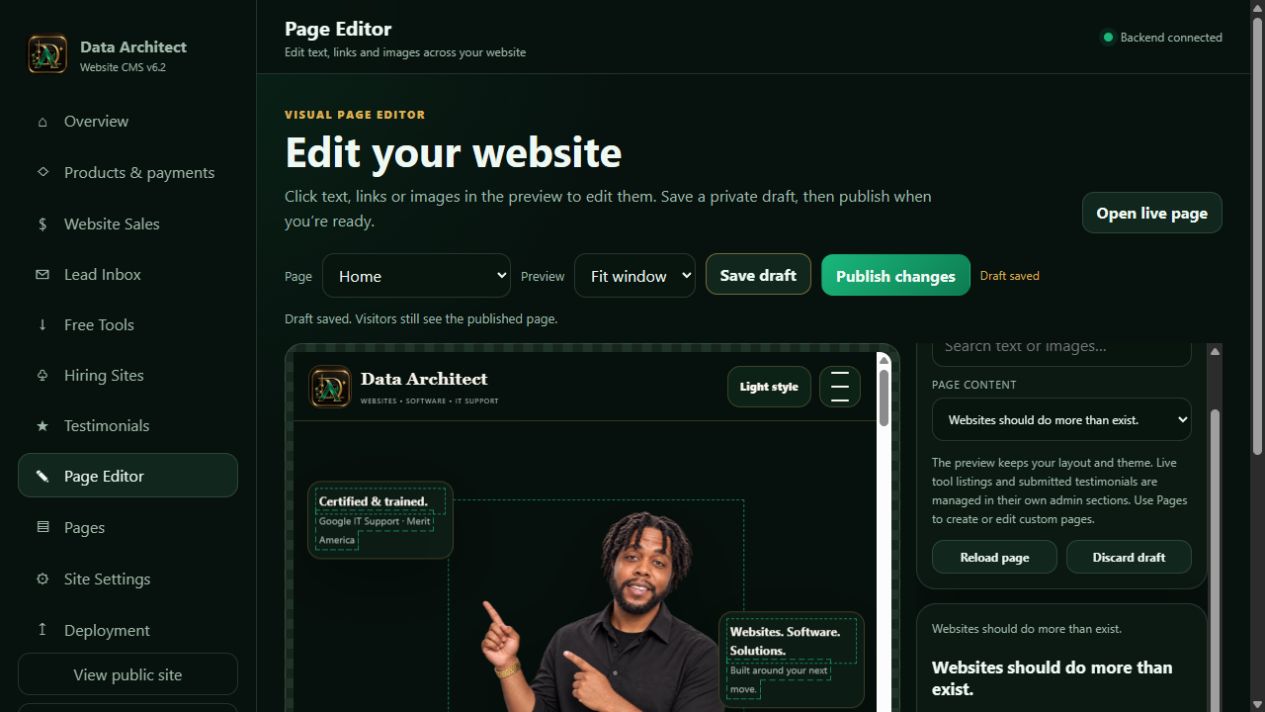
01 / THE WORK BEHIND THE WEBSITEView screenshot ↗The visual editor, open for inspection. Actual CMS · demonstration draft. Explore the controls, then see the public result below.
DESIGN Make it feel right.SYSTEMS Make it work together.
What you’re looking at. These are screenshots of our working products. Private screens use fictional companies, applicants and inquiries. Public-site captures are identified separately. No customer credentials, payment keys or private proposal links are shown.
LIVE EXPERIENCES / BUILT TO BE EXPLORED
Don’t just look. Take the next step.
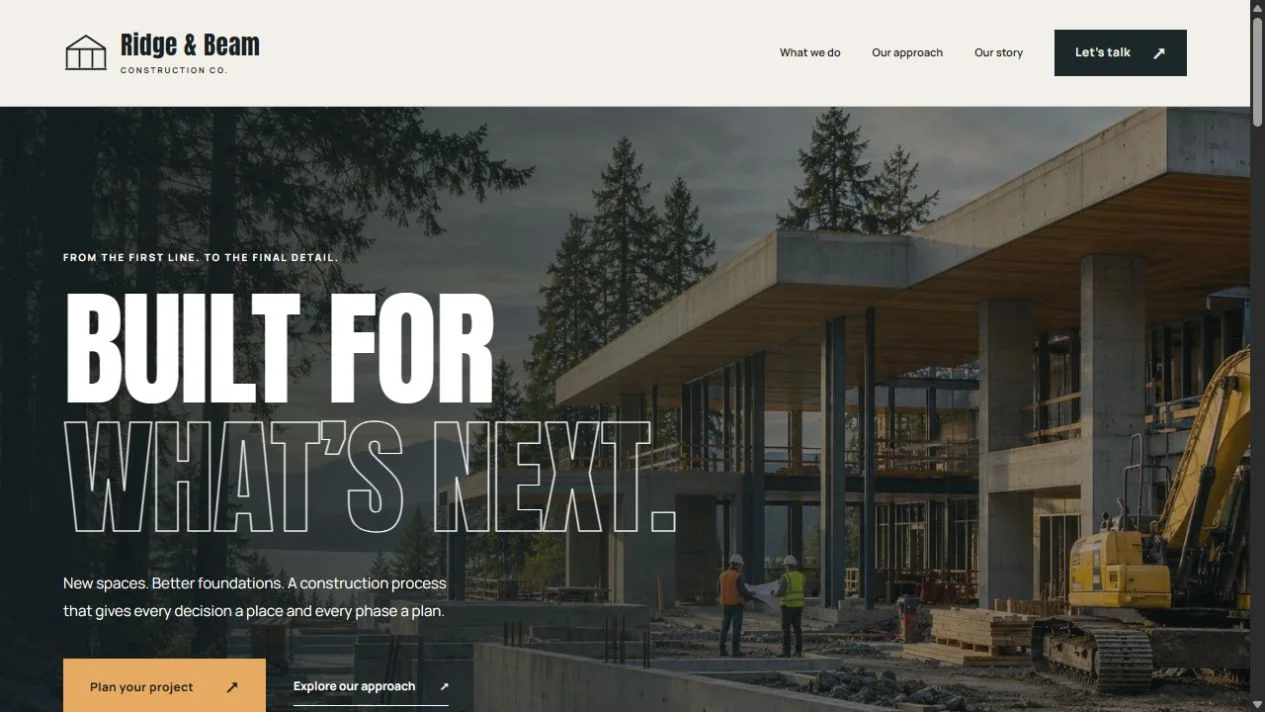
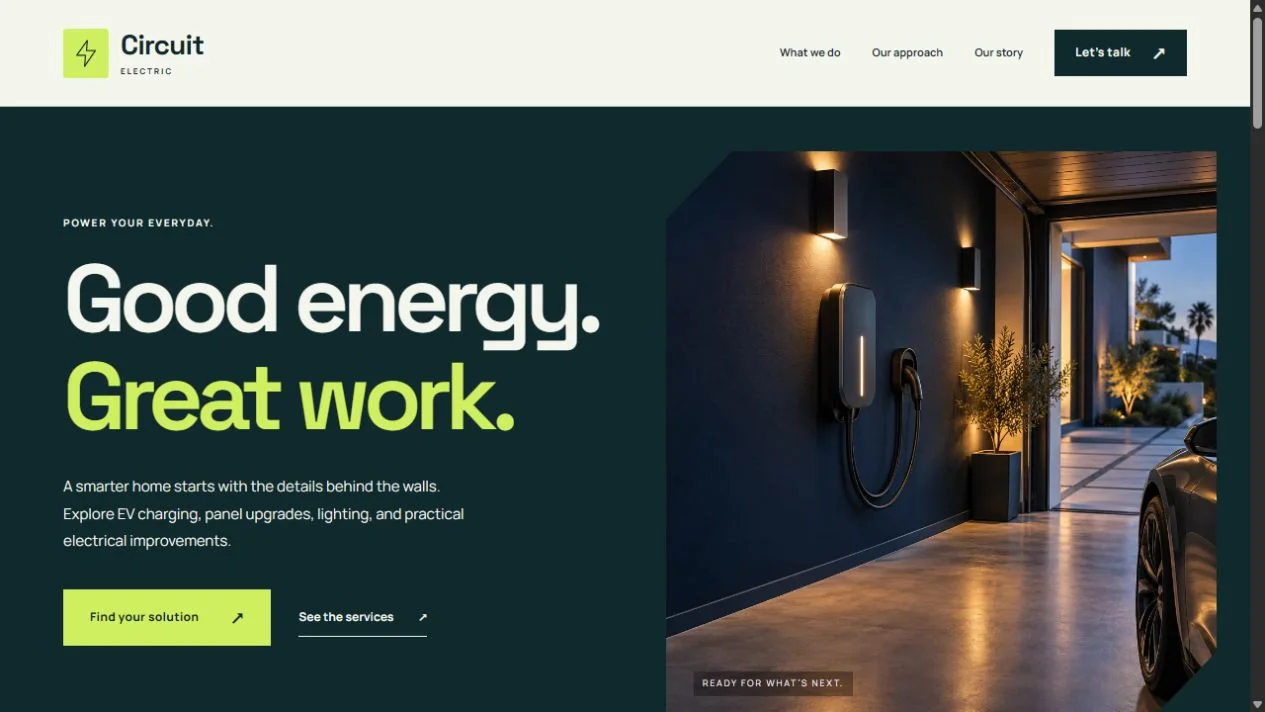
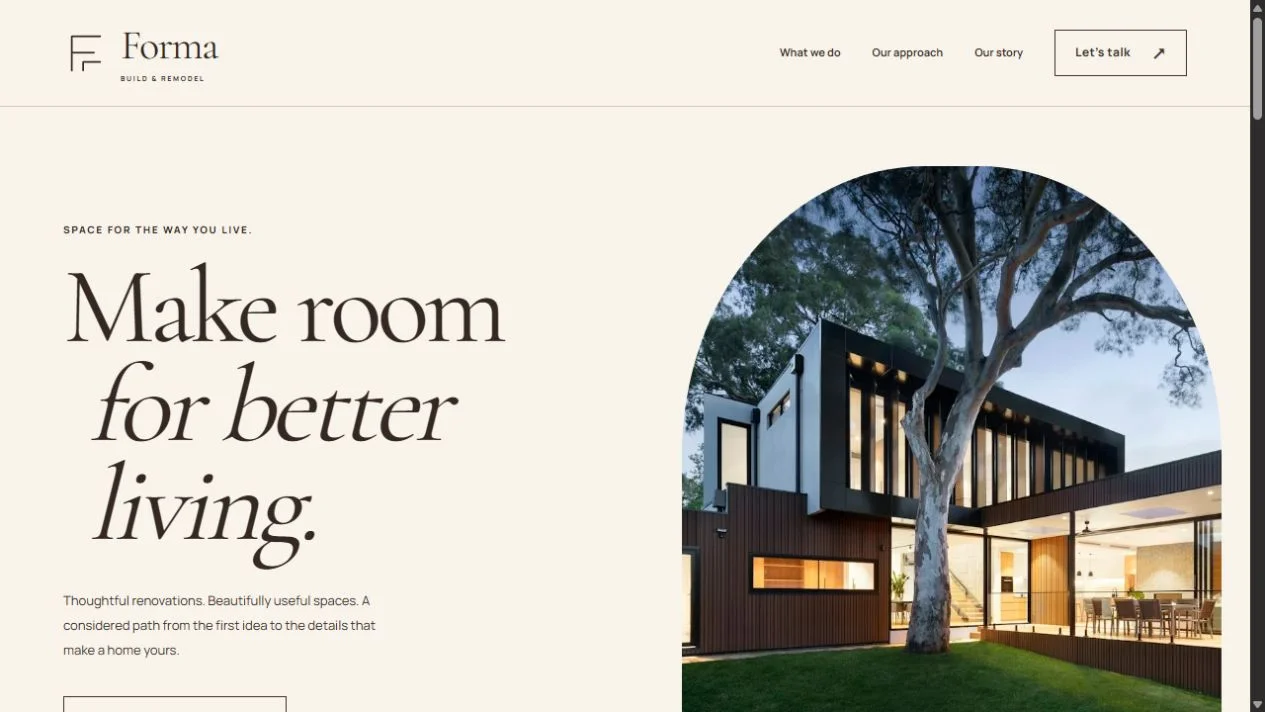
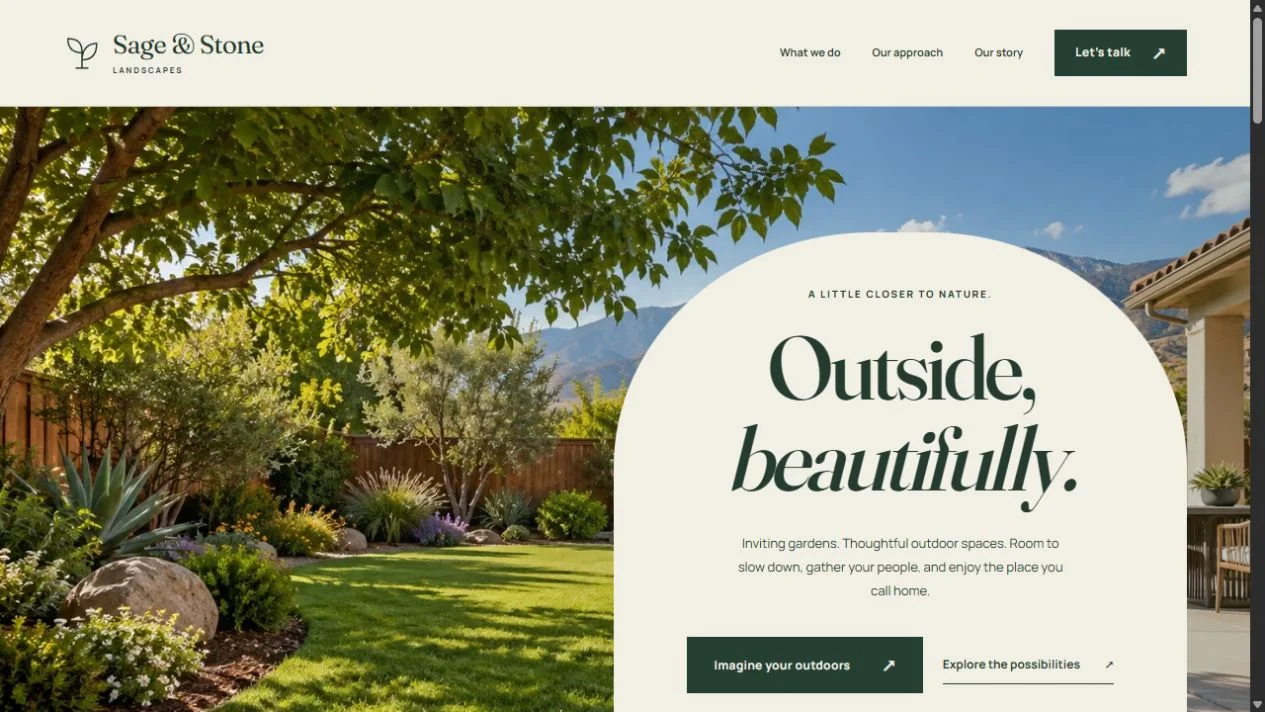
Five original brands. Five distinct design directions. Working journeys that connect a visitor’s first impression to the business on the other side.
01 / CUSTOMERStart on the website.
Explore a menu or service. Use the sample details to submit an order or project request.
02 / BUSINESSSee where it goes.
Open Business view in the same browser. Review your saved record and advance its status.
03 / FOLLOW-THROUGHExperience the next step.
Return to Client view to see the updated status and read the follow-up message previews.
For a business in Beaumont, Banning, Yucaipa, Redlands, Riverside, San Bernardino, Rialto or Fontana, the workflow starts with the same question: what should happen after a customer clicks? Let’s design that next step.
01 / CREATE / THE DATA ARCHITECT CMS
A custom website. An editor that belongs with it.
Keep the design intentional while making everyday content changes understandable. Select a page, find the text or image, review the result and publish when it is ready.
View screenshot ↗01A · Select, edit and save a draft. Actual CMS · isolated demonstration. The preview keeps the surrounding page visible while a headline is edited.
The page is the context.
Select. Choose the page and an editable text, link or image field.
Preview. Check the change in the designed page, including the phone preview.
Save draft. Keep the work without changing the published version.
Publish. Release the reviewed content, then verify the public page.
The editor exposes supported content fields while preserving the custom layout. Larger structural changes remain development work.
Maintain the content people use to understand your services and choose their next step.
OPERATIONS
A useful private workspace.
Bring inquiries, notes, reply previews, products and payment administration into the owner’s workflow.
RELEASE
A deliberate public result.
Keep drafts separate, review changes and verify what visitors actually receive.
02 / HIRE / FREE ONLINE JOB APPLICATION CREATOR
Your brand. Your next introduction.
Build a hiring page that looks like your business. Publish one link. Let people apply without an account, then review applications in your private workspace.
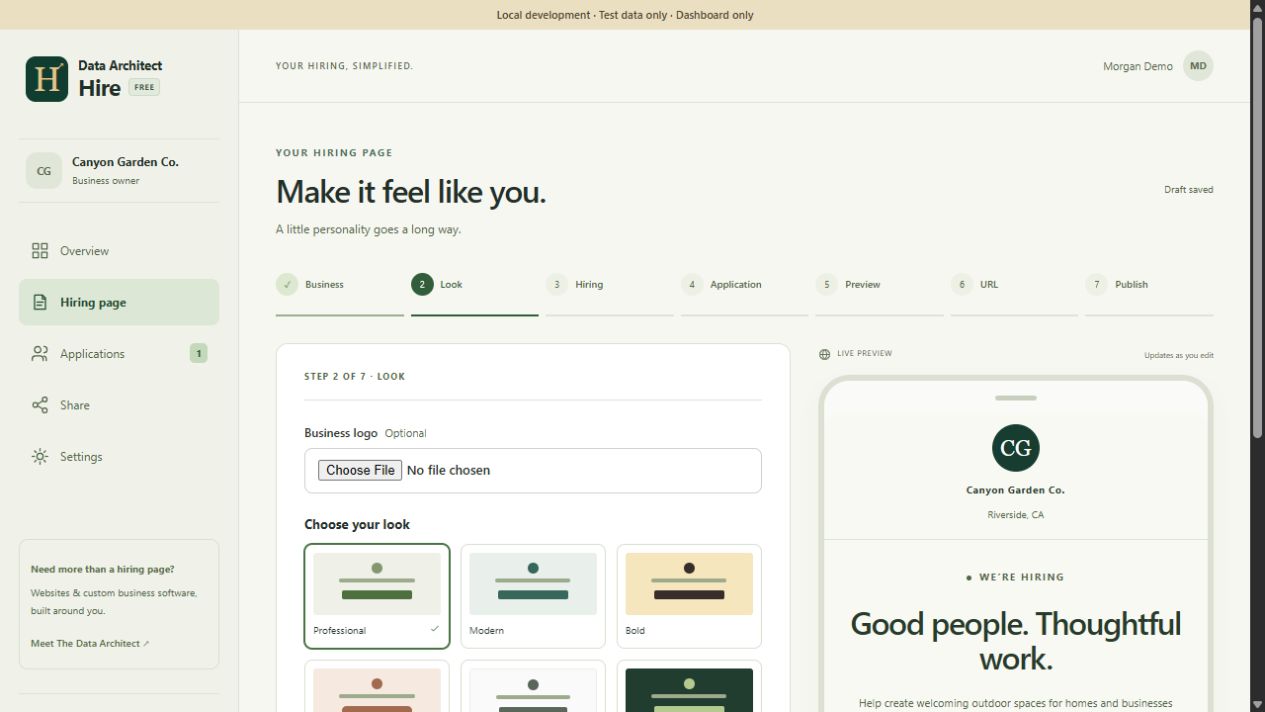
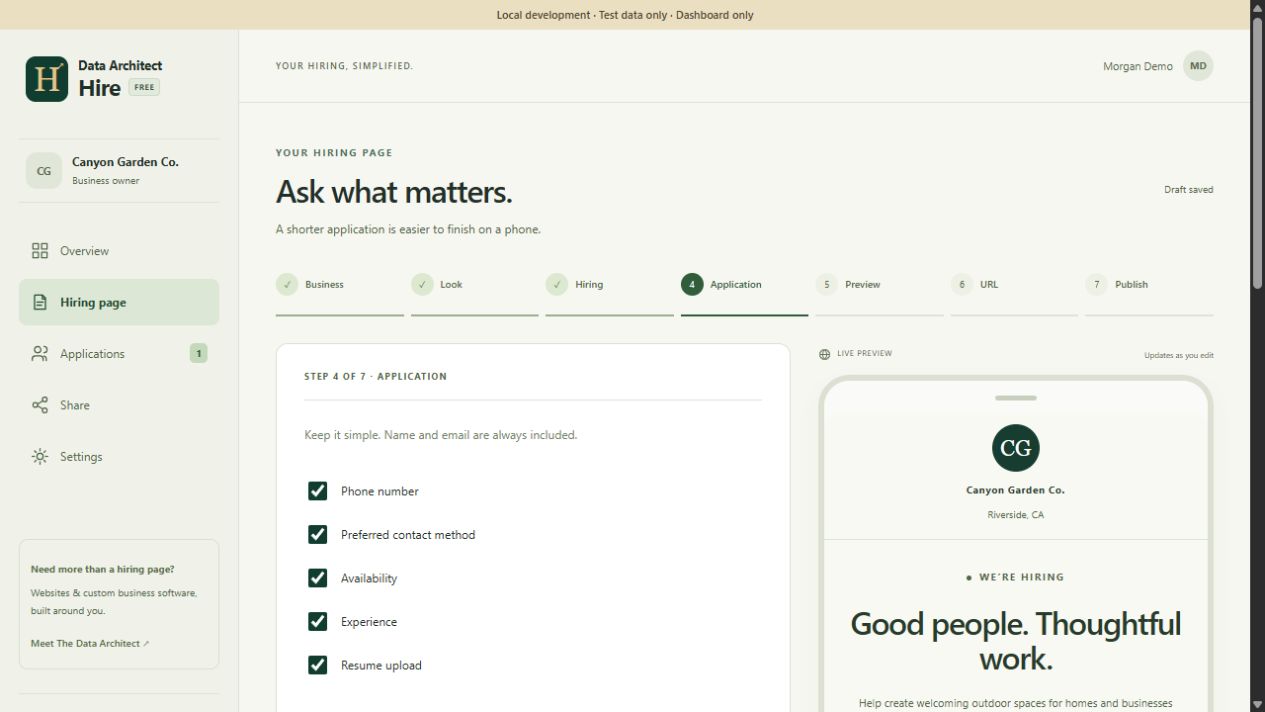
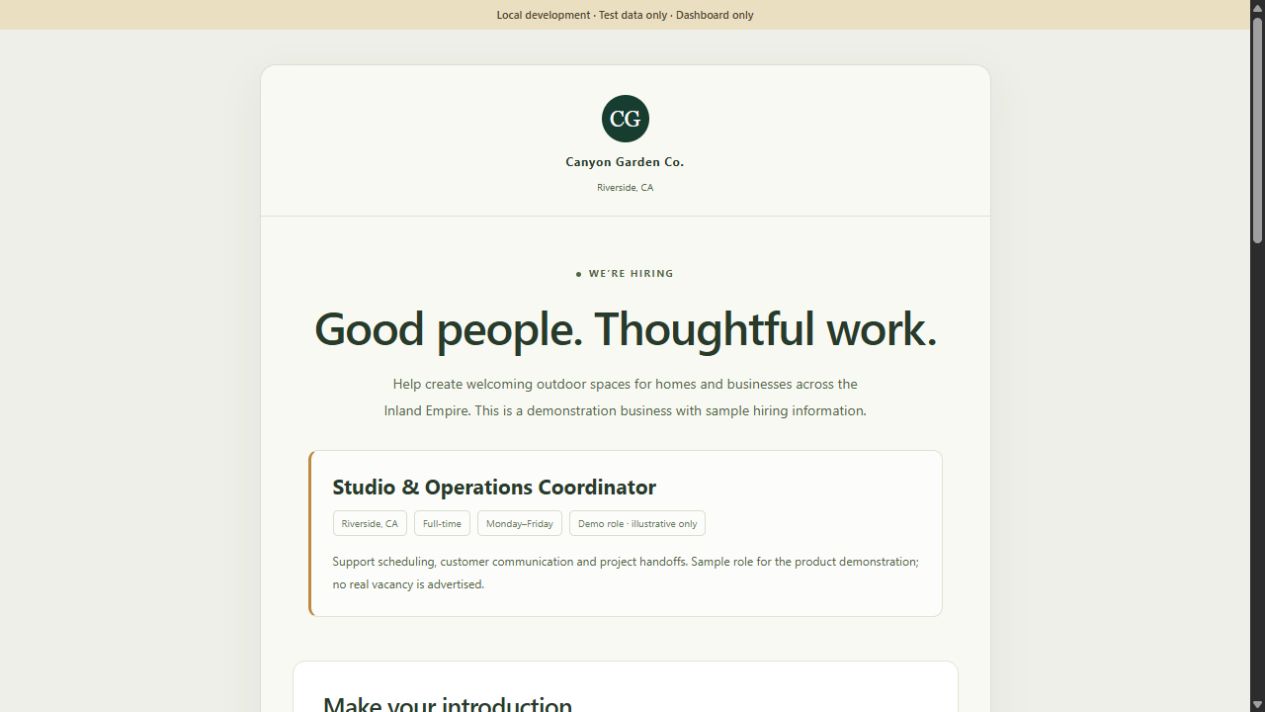
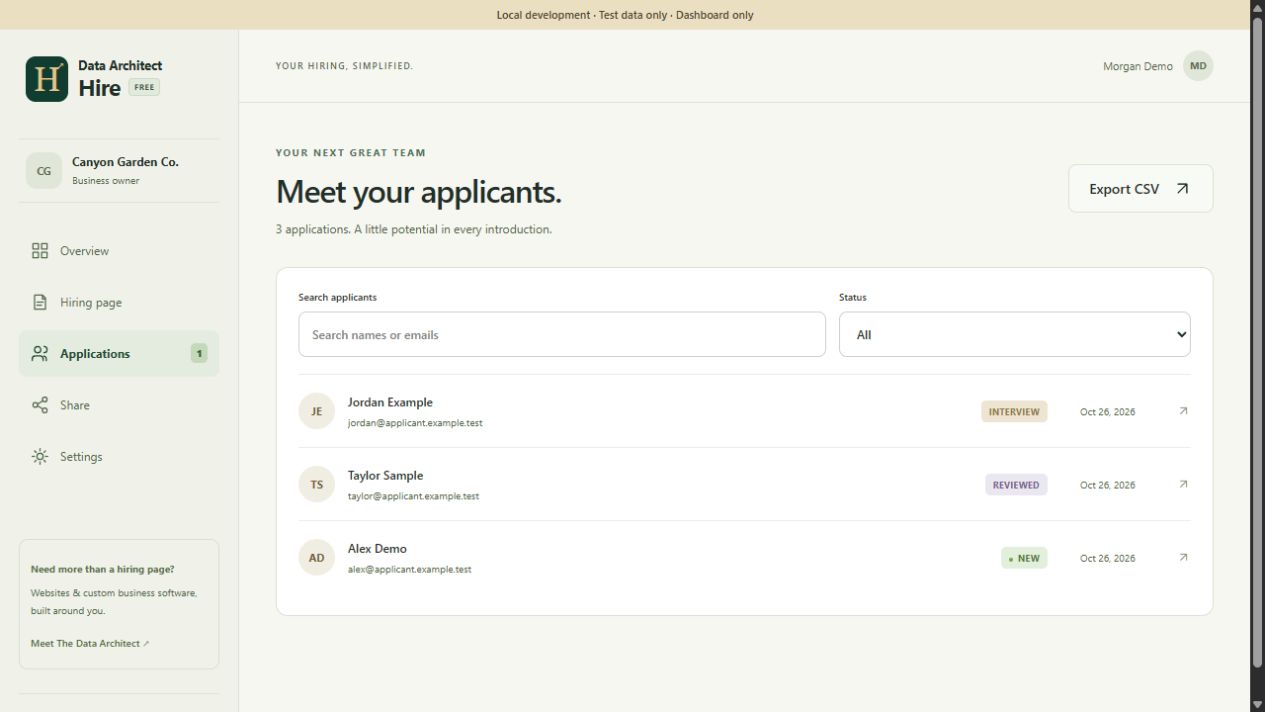
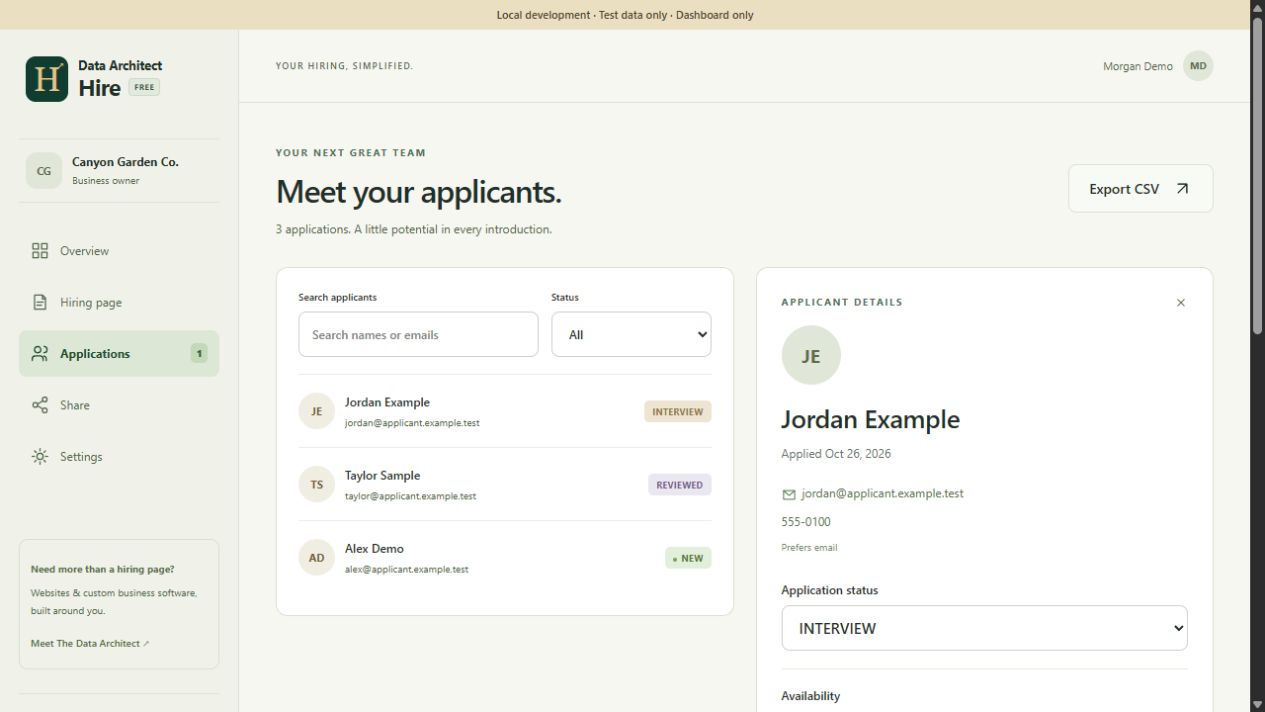
View screenshot ↗02A · Make the page yours. Actual Hire editor · sample business. Choose a theme and colors while the live preview updates.View screenshot ↗02B · Ask what the role needs. Actual form builder · sample configuration. Standard fields and up to five custom questions shape the application.View screenshot ↗02C · Publish the branded result. Actual generated hiring page · fictional role, no real vacancy. The applicant sees the business and opportunity before the form.View screenshot ↗02D · Keep the review organized. Actual private inbox · synthetic applicants. Search, statuses and CSV export support the business’s review process.
Open an application, review answers and an optional resume, record a private note, and move it through New, Reviewed, Contacted, Interview or Closed. Pause intake when you need to stop accepting applications.
Hire currently uses a dashboard-led workflow. Applicant emails and notifications are not sent automatically; the business follows up using the contact details provided.
View screenshot ↗02E · Keep context with the application. Actual detail view · fictional applicant. Answers, stage and private notes are shown together.
03 / CONNECT / THE COMPANY INQUIRY WORKFLOW
“We need help” becomes a clear next step.
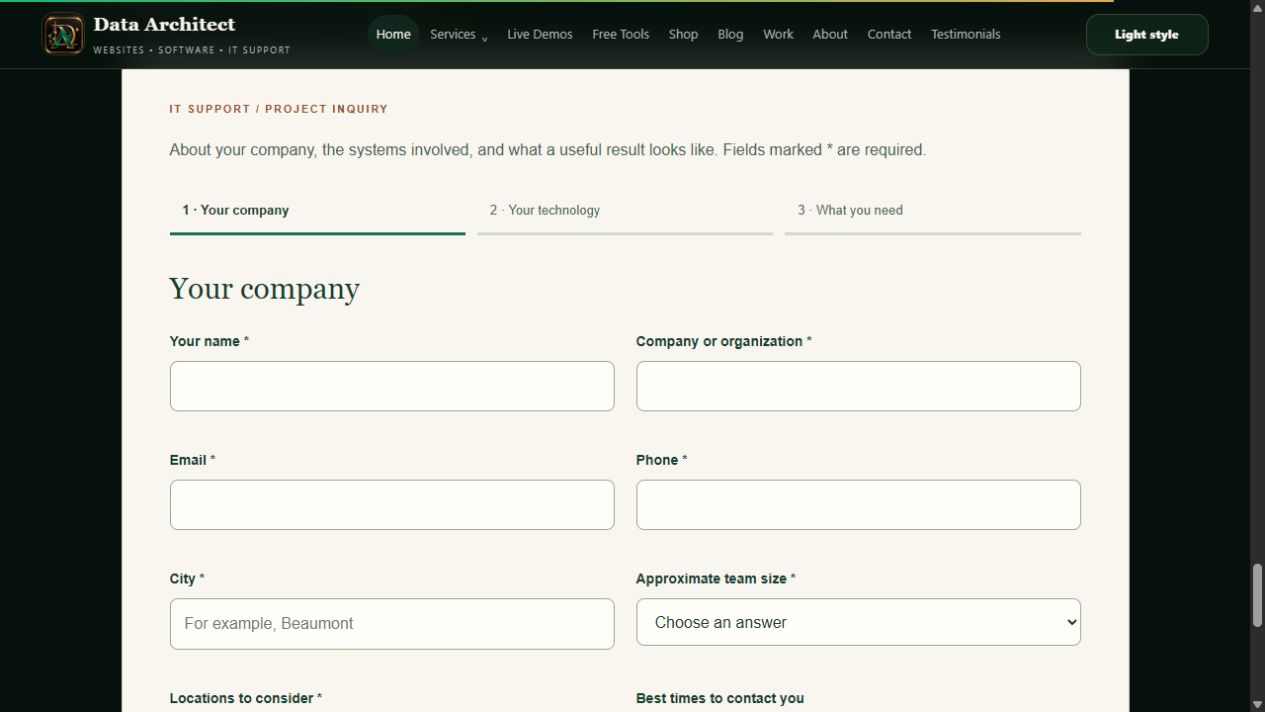
Understand the company, the systems and the desired outcome. Save the request, acknowledge it and give the owner enough context to respond thoughtfully.
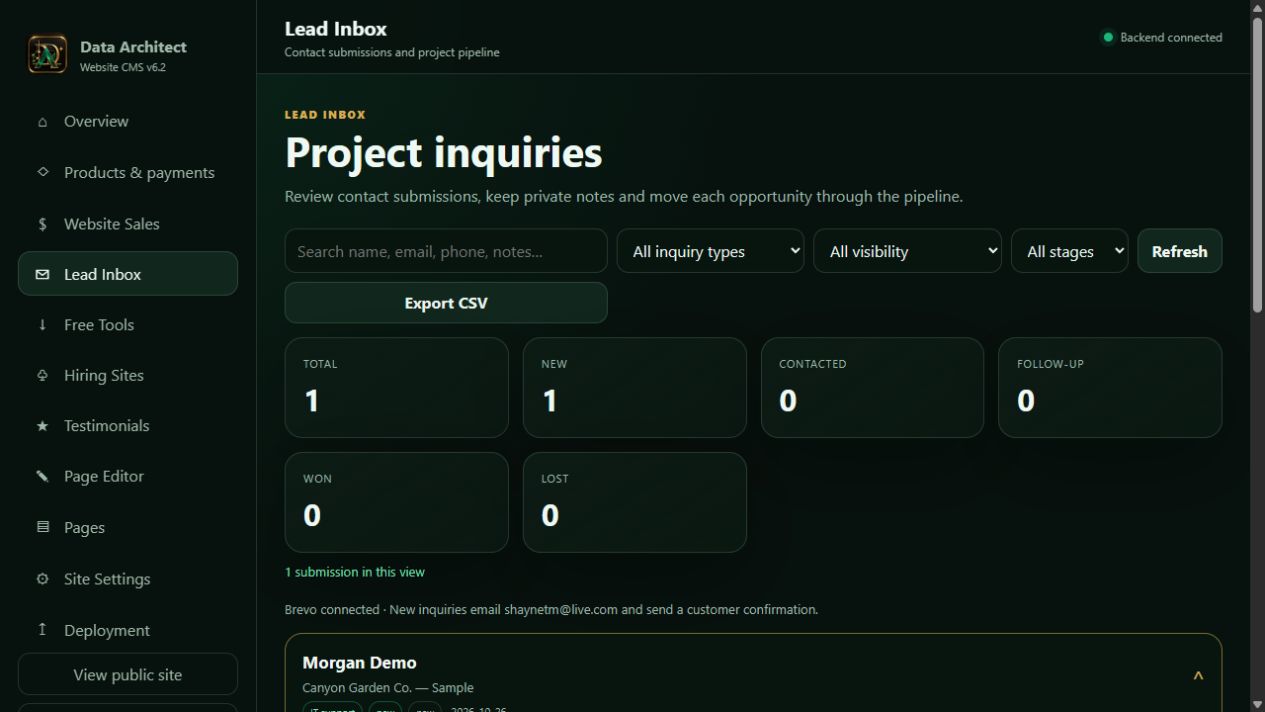
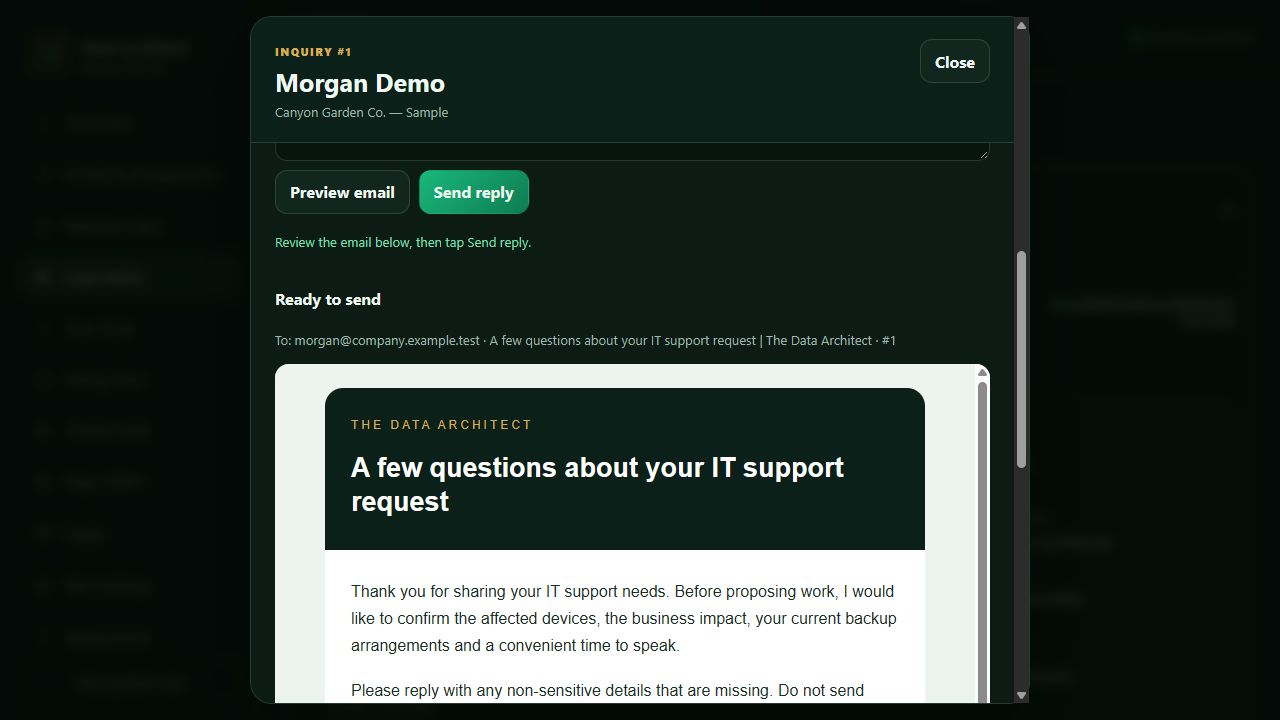
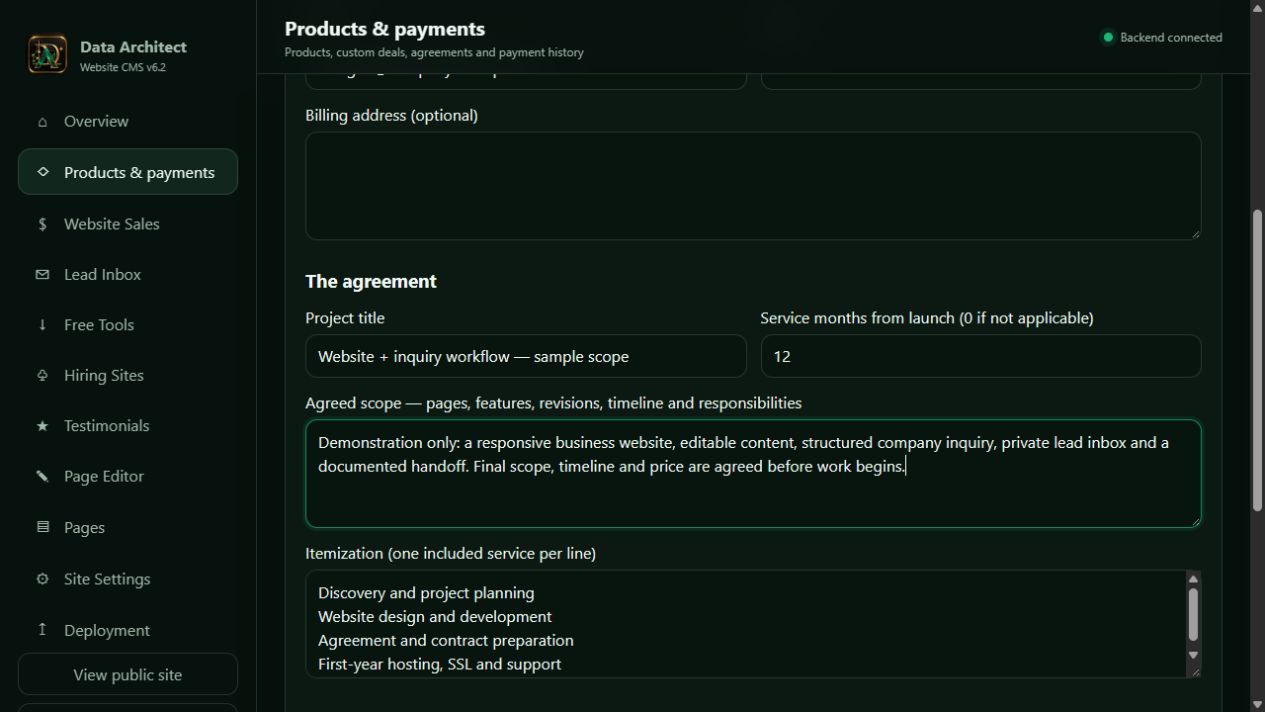
View screenshot ↗03A · Start with the right context. Actual live company-intake form · no visitor data entered. Team size, locations and technology help frame the scope.View screenshot ↗03B · Review a structured business record. Actual CMS · synthetic inquiry. Counts and email delivery indicators are demonstration data; provider delivery was simulated.View screenshot ↗03C · Preview the next conversation. Actual CMS reply preview · fictional inquiry. No customer email was sent for this capture.View screenshot ↗03D · Turn discovery into an explicit scope. Actual custom-deal builder · sample text. Preparing an agreement is a separate owner action after inquiry review.
Submit scopeStore inquiryAcknowledge via BrevoReview & replyAgree next steps
The record comes first.
The backend saves the inquiry before relying on email delivery. A separate outgoing-message record supports delivery review and retry. Notes and pipeline status stay with the inquiry.
The follow-up stays human.
Choose a reply template, edit it, preview it and send deliberately. Customer responses arrive in the business email inbox; inbound mailbox synchronization is not part of the current CMS.
A polished front end. A considered connection behind it.
Scope and payment terms belong with the order. Credentials belong on the server. A verified provider event connects payment activity back to the business record.
01 · PUBLIC WEBSITE
The customer’s next action.
Submit an inquiry, review a private agreement or request checkout.
↓
02 · APPLICATION BACKEND
Validation and business records.
Check access, save data and call providers using protected server configuration.
↓
03 · SPECIALIST PROVIDERS
Brevo for email. Stripe for checkout.
Deliver the transactional message or collect payment through the hosted provider experience.
↓
04 · CONFIRMATION & OPERATIONS
Verify. Record. Follow through.
Verify Stripe webhook signatures, process events and reconcile the order’s payment state.
INQUIRY · public form → application server
POST /api/it-support
  → validate required fields
  → store the structured inquiry
  → queue acknowledgment + owner alert
CHECKOUT · customer → server → Stripe
POST /api/commerce/orders/{private-link-token}/checkout
  → check the accepted agreement
  → create hosted checkout on the server
  → return the provider checkout URL
WEBHOOK · Stripe → application server
POST /api/billing/webhook
  → verify the signature
  → identify the order and event
  → update payment records
EDITOR · authenticated owner → server
PATCH /api/admin/page-editor/pages/{page-id}
  → validate access and revision
  → save a draft or publish
  → return the updated revision
Actual route shapes. Placeholders replace private identifiers; no API keys or access tokens are included. These examples explain placement and responsibility, not complete copy-and-paste requests.
Built to extend around the business.
Stripe is implemented. Additional gateways such as PayPal or Square can be scoped as provider-specific integrations around the same business workflow. Each needs its own checkout mapping, signature verification, refunds, failure handling and tests. Supported payment methods depend on the provider, account, region and transaction type.
A distinctive design, useful content and working next steps—on a public site people can open for themselves.
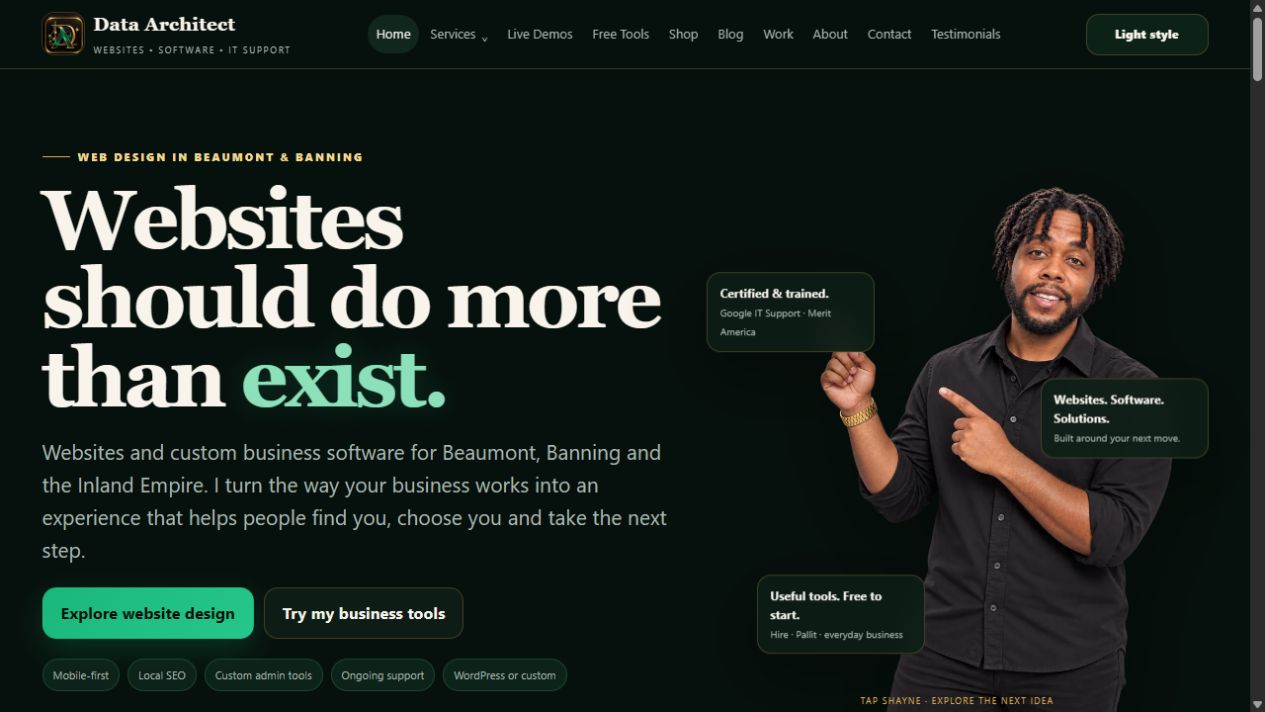
View screenshot ↗05A · Our own live, deployed website. Actual dataarchitectpro.com homepage · October 26, 2026. Custom design, editable content and connected business workflows.
LIVE WEBSITE
The Data Architect
Explore the design, free software, journal and company inquiry on the website you are visiting.
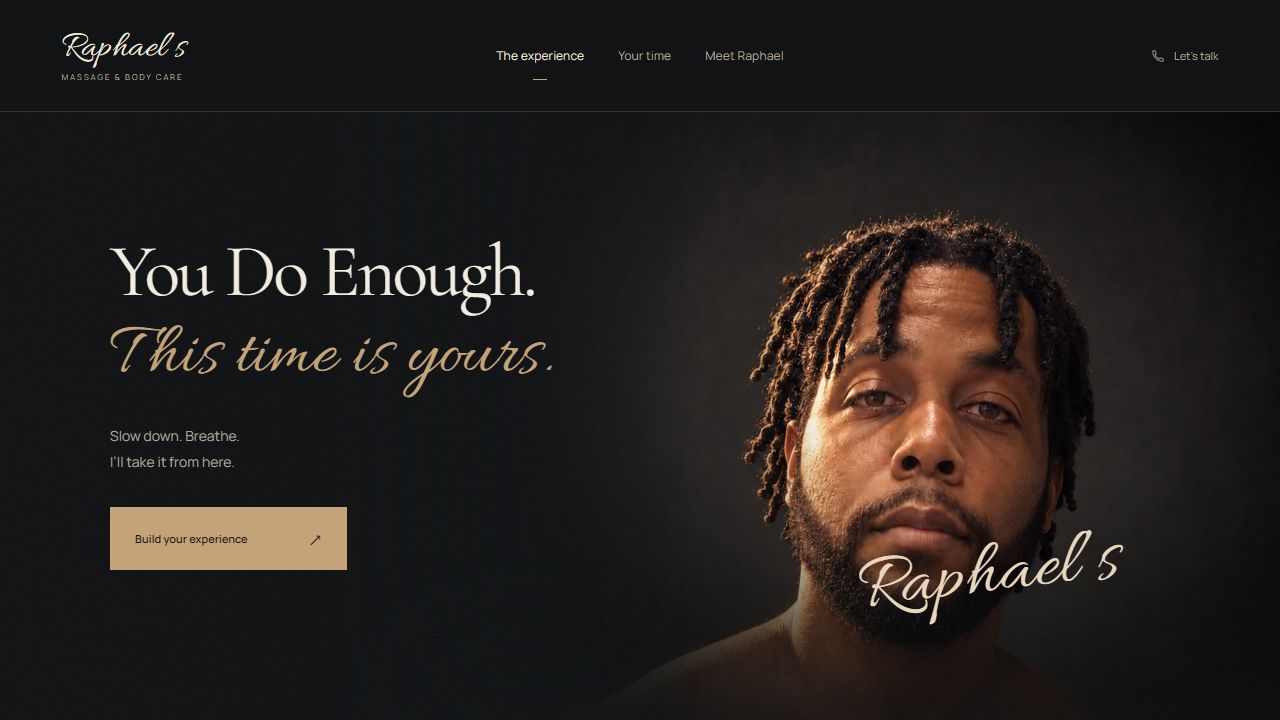
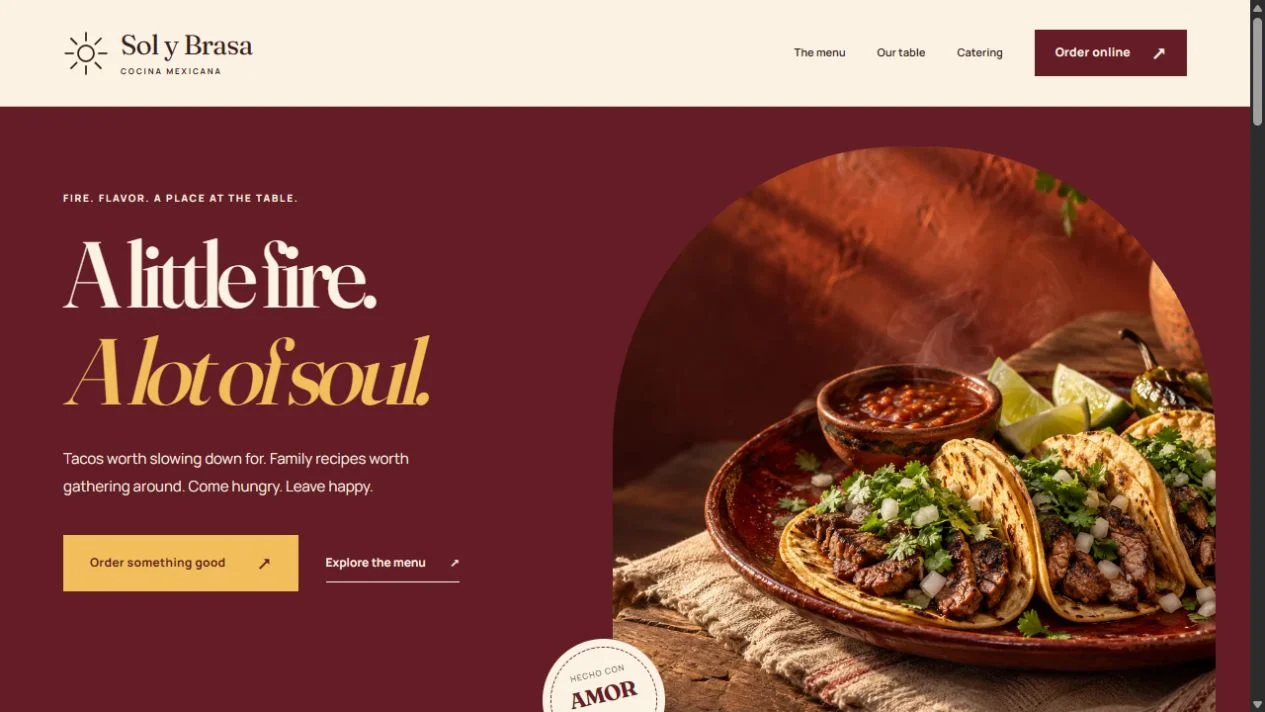
View screenshot ↗05B · A different business, a distinct visual direction. Actual public Raphael’s Massage & Body Care website. A separate design example; not presented as a deployment of this CMS.
LIVE DESIGN EXAMPLE
Raphael’s Massage & Body Care
A strong hero and a calm service journey. See how typography, imagery and a clear action shape the experience.
Create a branded online job application with Data Architect Hire: customize the form, publish a link, collect resumes and manage applicants in a private dashboard.
See the Data Architect CMS in action: select page content, preview changes, save a draft, publish deliberately and connect the website to business workflows.
Inside our company intake, private lead inbox, Brevo follow-up and Stripe workflow—with API placement, verified webhooks and a practical path to other payment providers.
Websites, custom business software and IT support across Riverside and San Bernardino counties—from Beaumont and Banning to Yucaipa, Redlands, San Bernardino, Rialto, Fontana, Riverside, Moreno Valley, Ontario and Rancho Cucamonga.

 OPEN LIVE WEBSITE ↗