
1. Ask enough to understand the work
A useful inquiry form begins a business process. It should help a company explain its need, create a dependable record for the owner, and make the next conversation easier.
Our three-step intake starts with the company, approximate team size and locations. It then asks about the technology involved before gathering the requested outcome, impact and scope. A small team with one office is a different project from a company with several locations, shared systems and an internal IT department.
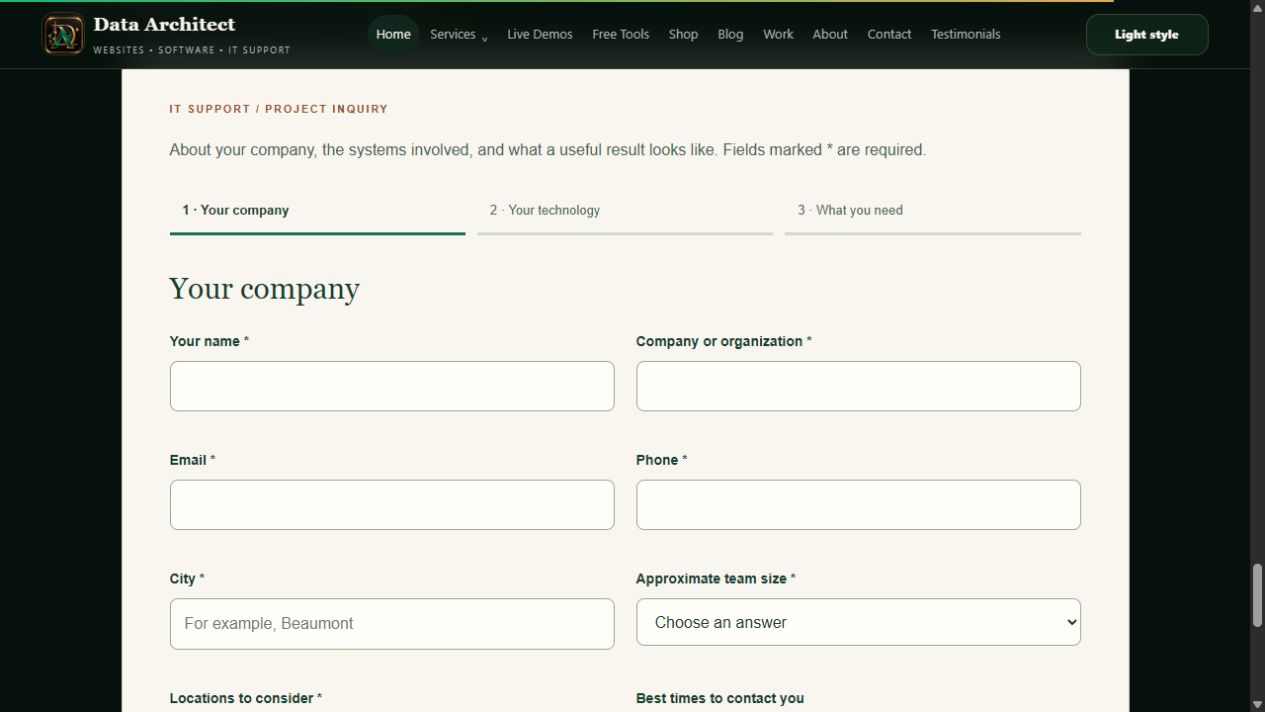 View screenshot ↗
For IT support, useful details include affected computers, operating systems, networking equipment, backup arrangements and current support tools. For a custom system, start with the people who use it, the process that needs to change and the integrations involved. Ask for context, not passwords or recovery codes.
An inquiry does not automatically commit either side to a price, appointment or scope. Those decisions follow the review. The same discipline helps businesses across Beaumont, Banning, Yucaipa and the wider Riverside and San Bernardino county service area.
2. Save the inquiry before depending on email
The website submits to the backend, which validates the request and stores a structured lead. The record exists independently of whether an email provider is available at that moment. A submission identifier helps protect against a repeated browser submission creating duplicate work.
Current public intake route · illustrative payload excerpt
POST /api/it-support
Content-Type: application/json

{
  "submission_id": "{new-submission-uuid}",
  "name": "Morgan Demo",
  "organization": "Canyon Garden Co. — Sample",
  "email": "[email protected]",
  "intake": { "city": "Riverside" }
}

// Excerpt only: the form also supplies the required
// scope, technology and consent fields.
The application stores the inquiry in its database and tracks outgoing messages separately. That distinction lets an operator investigate an email problem without losing the original business request. It also gives retries a defined record to work from.
3. Acknowledge receipt, then make the next reply specific
The main website uses Brevo for the inquiry acknowledgment and owner notification. The acknowledgment confirms receipt and explains the next step. It should not invent a response-time guarantee or imply that work has already been accepted.
In the private inbox, the owner can select a reply type, edit the subject and message, and preview the branded email before sending it. IT-support templates help ask for missing scope details, arrange a conversation or outline the next step. The person reviewing the request remains responsible for the final message.
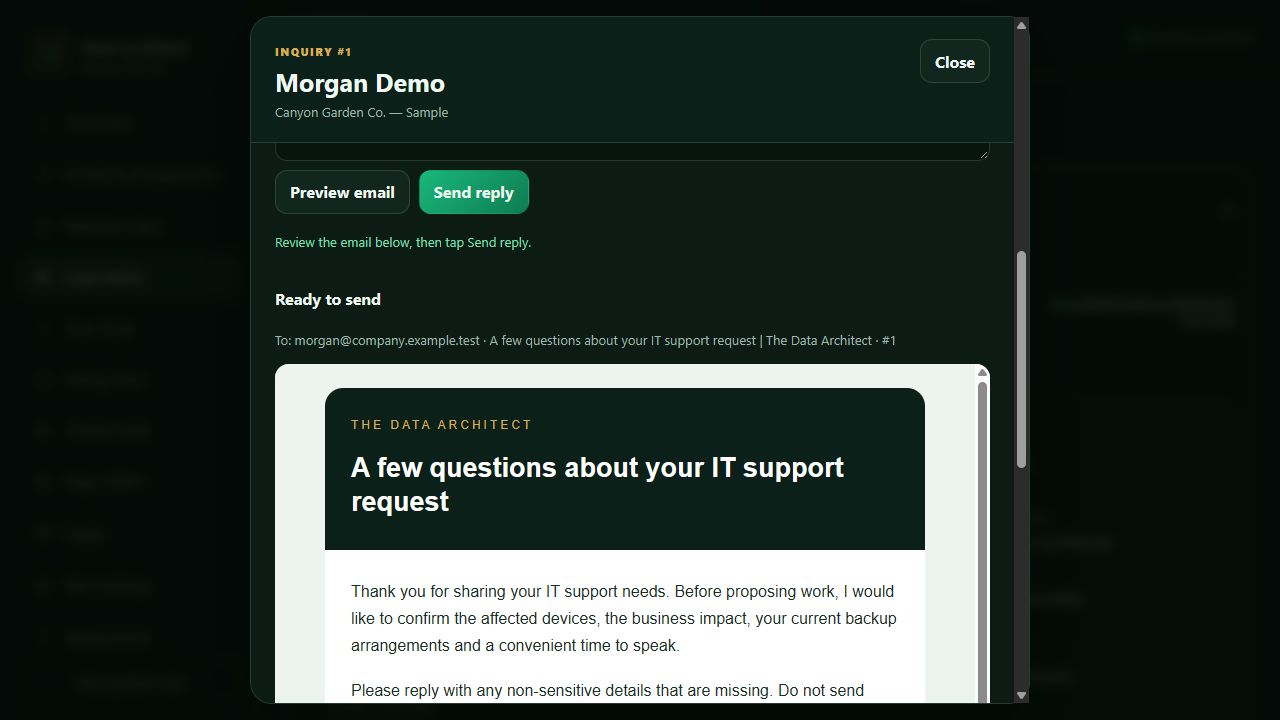 View screenshot ↗
The delivery history distinguishes a provider accepting a send request from a recipient actually receiving or reading the message. Provider delivery and bounce details need their own review. Customer replies go to the business email inbox; the current CMS does not synchronize inbound mailbox conversations automatically.
4. Keep context, status and responsibility together
The lead inbox combines the original inquiry with notes and a pipeline status: New, Contacted, Follow-up, Won or Lost. Read and archived states support inbox housekeeping; they have a different purpose from the business outcome.
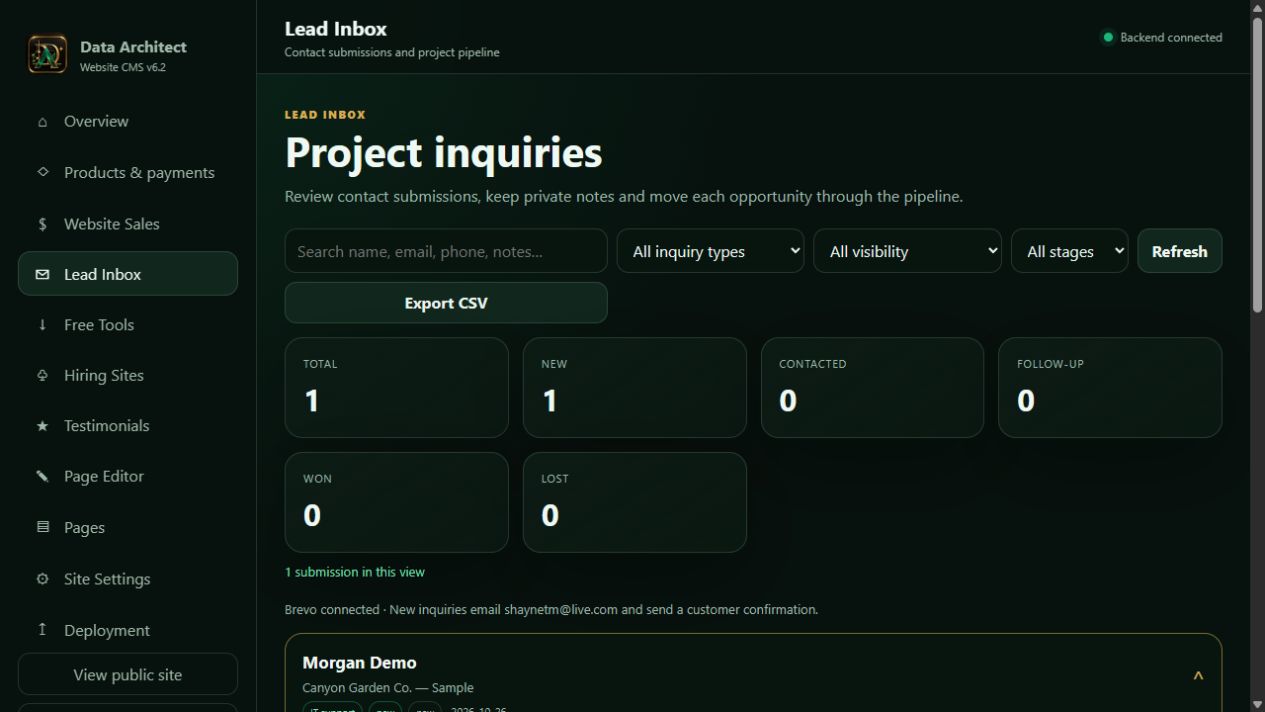 View screenshot ↗
A useful note records the finding and next action. For example: “Two locations need shared access; confirm the existing identity provider before estimating migration.” That gives the next conversation a starting point and makes a future handoff more reliable.
The inquiry workflow and commerce workflow are separate modules. After discovery, the owner prepares the agreed scope in a custom deal. The system does not automatically turn a new lead into a signed contract or charge a card.
5. Make the agreement and payment plan explicit
The commerce workspace supports products and custom deals. A custom deal records the buyer, project title, scope, included work and payment plan. Available plan types include a single payment, deposit and balance, fixed monthly payments, or an ongoing monthly service where appropriate.
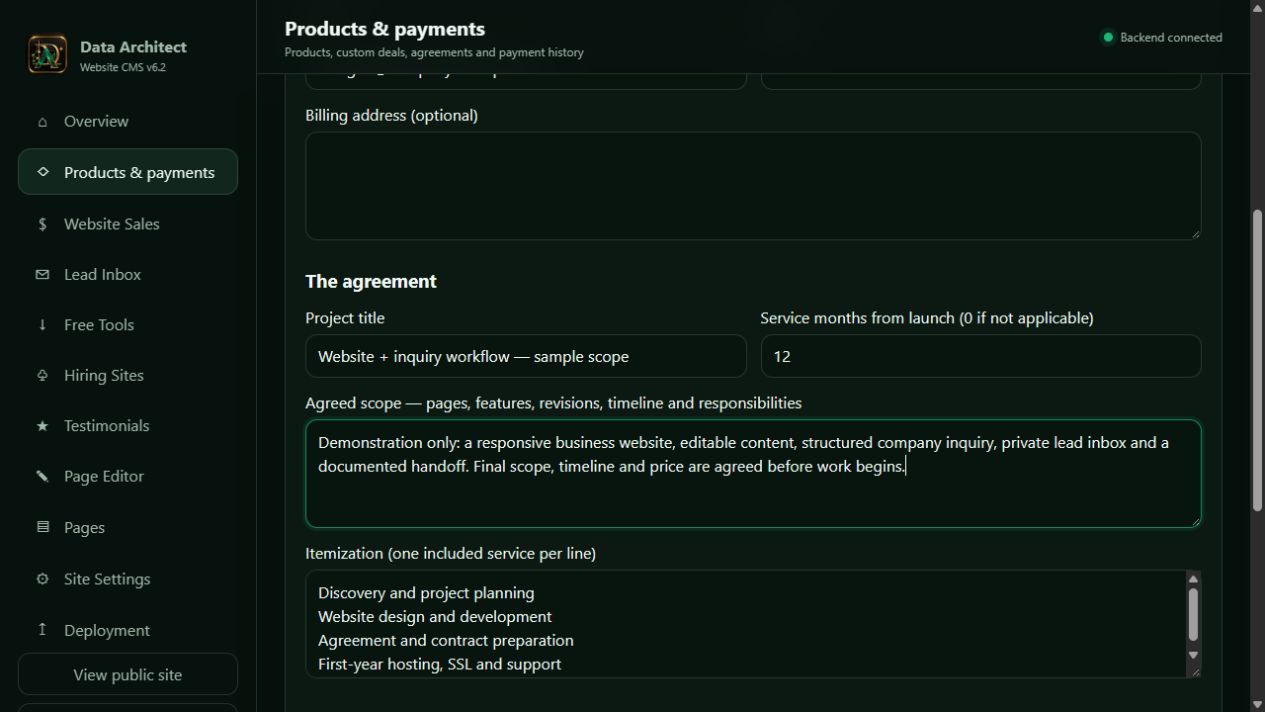 View screenshot ↗
The customer receives a private agreement link, reviews the scope and terms, and accepts before entering checkout. Agreement documents, payment records and receipts provide a connected record of the transaction. A deposit, an installment and a subscription have different obligations; the plan needs to say which one it is.
Current commerce routes · private link placeholders only
POST /api/admin/commerce/orders
  -> authenticated owner creates a scoped proposal

GET /api/commerce/orders/{private-link-token}
  -> customer reviews the proposal

POST /api/commerce/orders/{private-link-token}/accept
  -> records the customer's explicit acceptance

POST /api/commerce/orders/{private-link-token}/checkout
  -> server creates a hosted Stripe Checkout session
The private link is sensitive. It is not an API key, but it grants access to that proposal and should not appear in public analytics, screenshots or a portfolio. All values shown here are placeholders.
6. Keep payment credentials on the server
The browser requests checkout from our backend. The backend uses its server-held Stripe credential to create a hosted checkout session and returns the destination the customer needs. The customer enters payment information in Stripe’s hosted experience.
A return to the success page is useful navigation, but it is not sufficient proof of payment. Payments can have asynchronous states. The application needs verified server information before treating an order as paid or unlocking a paid download.
Placement of the integration · no keys or private tokens
PUBLIC BROWSER
  asks our server to begin checkout
        ↓
APPLICATION BACKEND
  reads protected payment configuration
  creates the provider checkout session
        ↓
STRIPE-HOSTED CHECKOUT
  collects the customer's payment details
        ↓
POST /api/billing/webhook
  verifies the provider signature
  processes the event and updates payment records
The webhook handler verifies Stripe’s signature before accepting the event. Event handling must also account for repeats and connect the event to the correct order. Refunds, disputes and subscription changes need their own states rather than being treated as another successful checkout. Stripe’s webhook documentation explains its delivery and signature-verification model.
For a business, the benefit is a record that can be reconciled. Someone should be able to tell whether an amount is due, collected, refunded or still awaiting confirmation, and which agreement it belongs to.
7. Adapt the workflow to the payment provider
Stripe is the payment integration implemented in this system. The wider architecture can be extended to other providers by keeping the business order and scope separate from the provider’s checkout and event formats. That is an integration approach, not a claim that every payment service is already connected.
| Payment route | What changes in an implementation |
|---|---|
| Stripe | Implemented here: hosted checkout and verified events. Available payment methods depend on the account, country, currency and transaction type. |
| PayPal | A separate integration would create the appropriate order or subscription, verify PayPal notifications and map outcomes to the business record. |
| Square | A separate integration would use the selected Square checkout/payment APIs, verify its webhook signatures and handle duplicate notifications. |
| Another gateway or offline invoice | Define the supported checkout, confirmation, refund and reconciliation process. Record manually verified payments explicitly rather than inventing a provider event. |
Capabilities differ. A provider that supports a one-time charge may not support the same installment schedule, recurring billing, currency or local payment method. Evaluate the required business flow before promising a switch. See the primary documentation for Stripe payment-method support, PayPal webhooks and Square webhooks.
8. Test the exceptions before launch
- Submit the same request twice and verify that retries do not multiply the work.
- Simulate an email-provider failure and confirm the inquiry remains available.
- Check that an unauthorized visitor cannot read the lead inbox or private files.
- Preview replies and verify the recipient before sending.
- Exercise payment success, failure, duplicate events and refund paths in provider test mode.
- Confirm that an unpaid or unaccepted order cannot unlock the paid result.
- Document who checks delivery failures, outstanding balances and the next customer action.
These are launch acceptance checks, not a claim that every integration has the same behavior. A connected website earns its value when the ordinary path and the exception path both remain understandable.
Explore the visual workflow showcase or discuss an integration for your business. For a more complex internal operation, see our custom IT ticketing workflow.