
A hiring link should lead somewhere useful
You need a place to explain the role, a simple way for someone to apply, and a reliable place to review what they send. Data Architect Hire brings those steps together in a free online job application creator with a branded public page and a private business dashboard.
For a shop in Beaumont, a service business in Banning or a growing team in Riverside, that can start with one link. Put it on your website, print it on a hiring sign, or share it wherever you already talk to your community. An applicant opens the page and applies without creating an account.
1. Give the page your business’s identity
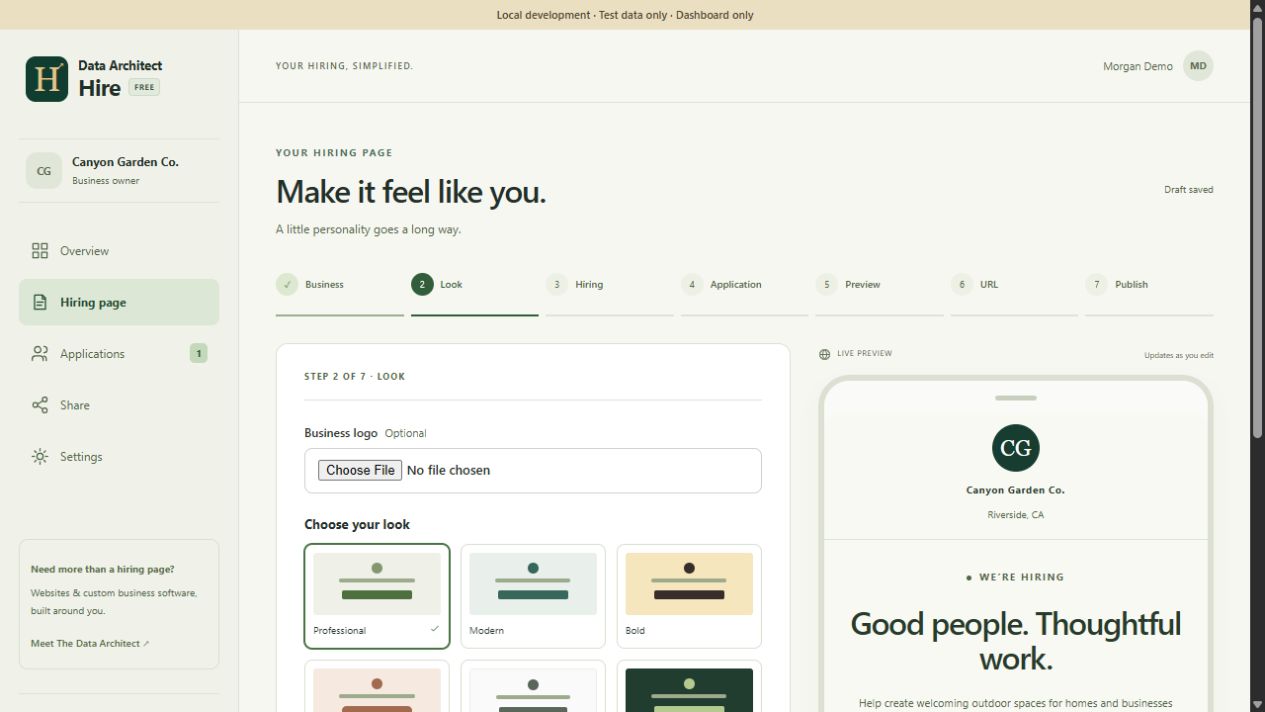
Start with the business name, contact details and location. Then choose the look: Professional, Modern, Bold, Friendly, Minimal or Dark. Set primary and accent colors, add your logo and choose the available background options. The live preview helps you judge the result while you edit.
Good branding also means useful words. A headline should tell someone why the work matters; the supporting message should describe the environment and expectations. A service team in Redlands might emphasize dependable scheduling and customer care. A Fontana operations team may need to explain the work location and shift clearly.
 View screenshot ↗
2. Explain the opportunity before asking questions
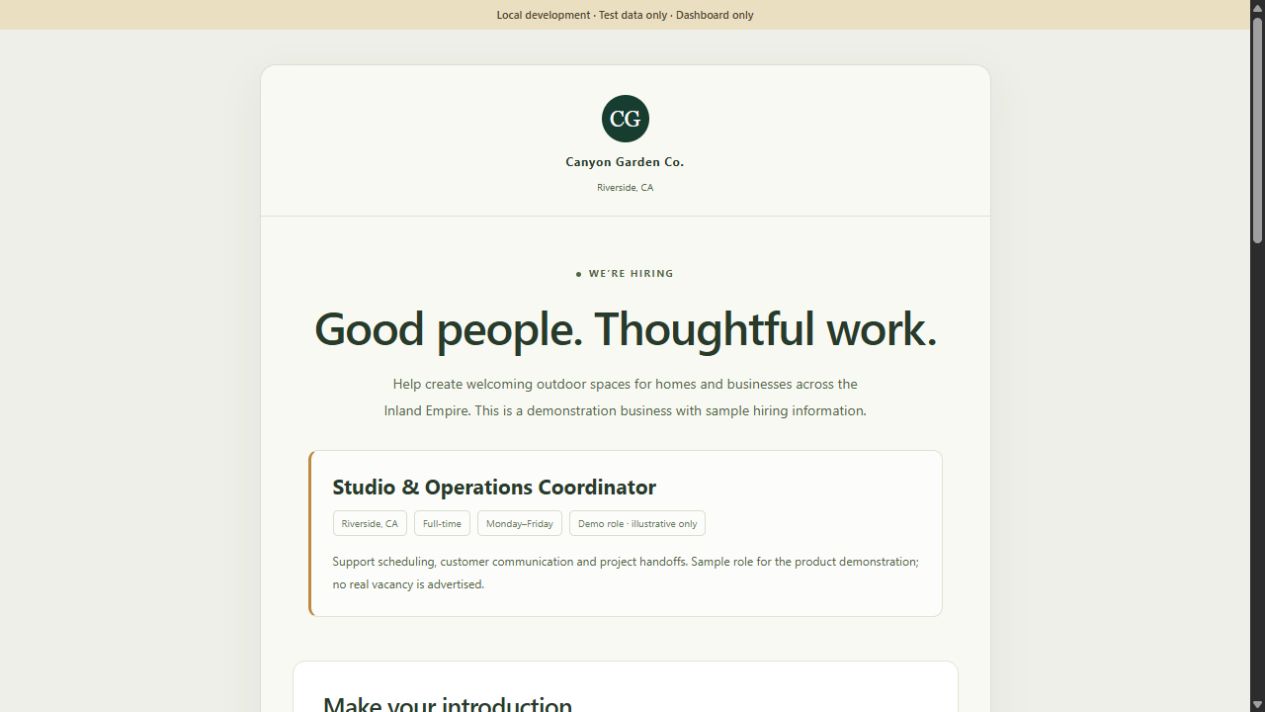
Choose a job-specific campaign or a general application page. For a specific role, include the title, location, employment type, schedule and relevant compensation information. Describe the actual responsibilities in plain language. An applicant should be able to decide whether the opportunity fits before spending time on the form.
Keep the information current. A general interest form should say that it collects interest rather than promising an immediate opening. When recruitment pauses, use the intake controls instead of leaving an outdated page accepting applications indefinitely.
 View screenshot ↗
3. Build an application people can finish
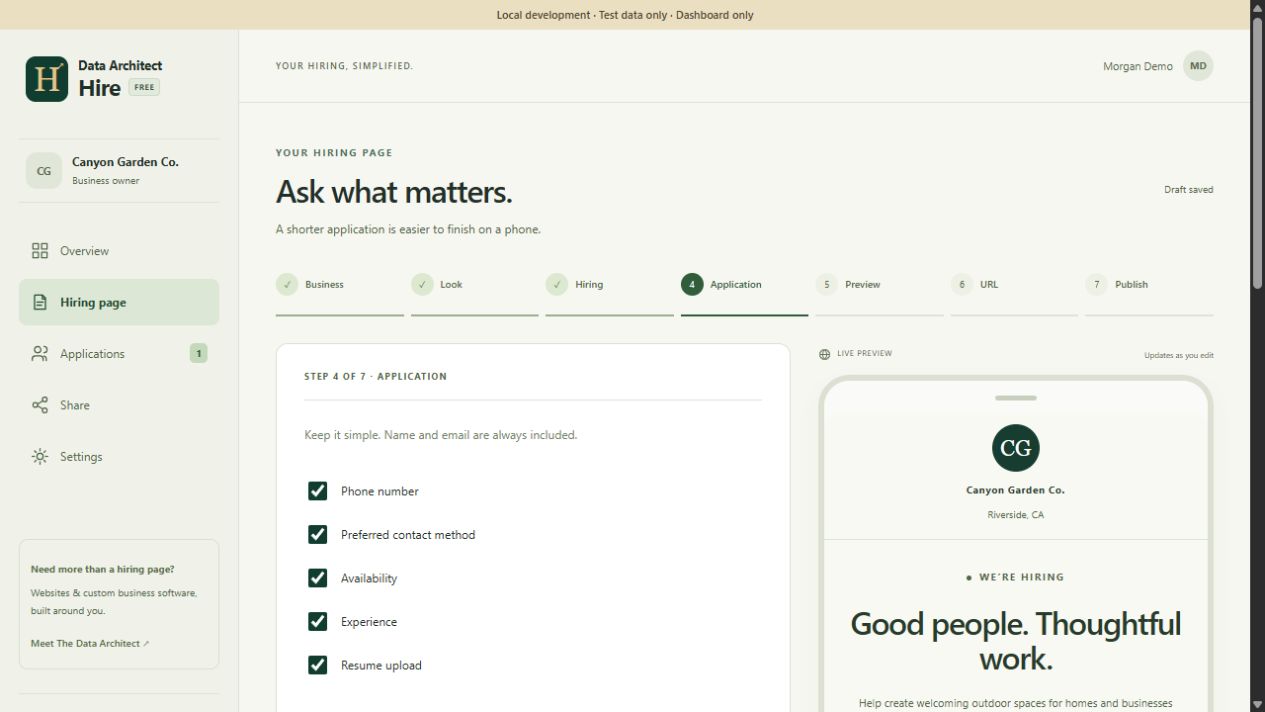
Choose the standard fields your process needs and add up to five custom questions. Hire supports questions tailored to the role and an optional resume upload. In the current product, applicants can attach a PDF or DOCX file up to 5 MB.
Ask questions that help with the next conversation. “Which type of work interests you?” may help route a general application. “When are you available?” can clarify scheduling. Long repeated questions about information already in a resume add effort without necessarily adding insight.
 View screenshot ↗
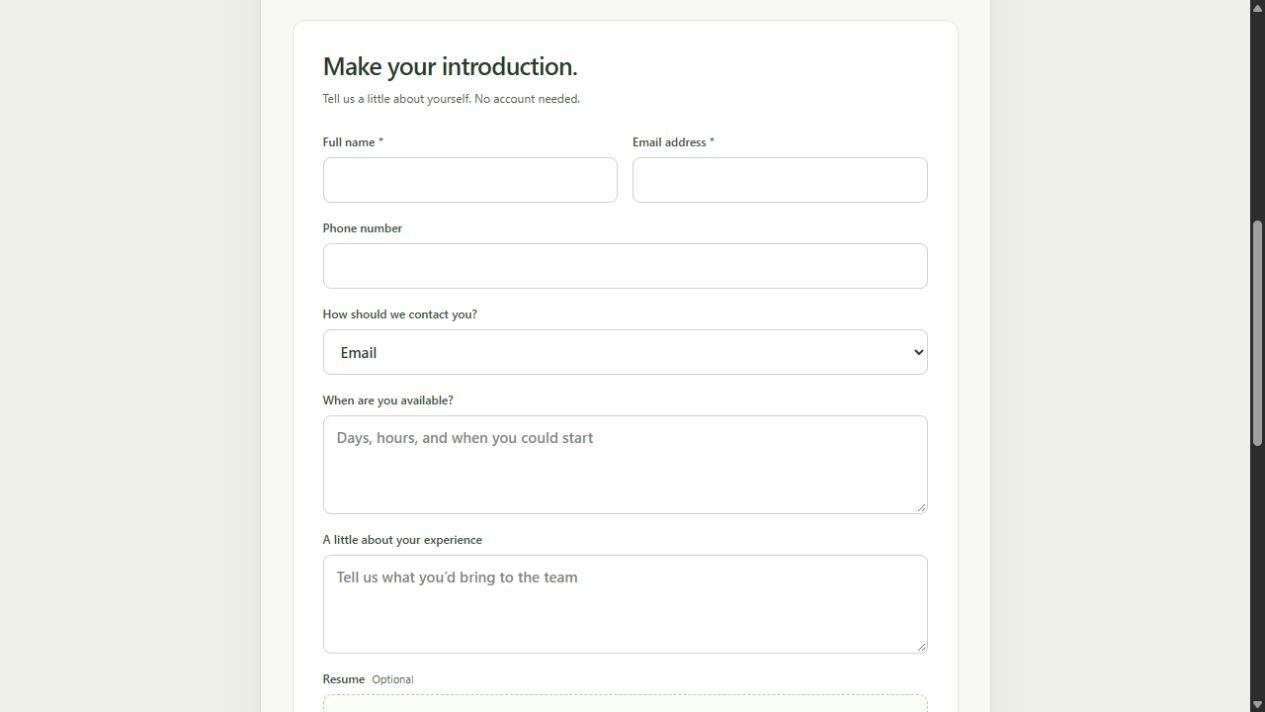
Explain how the information will be used. The application includes consent to share the submission with the business and its authorized hiring team, plus a privacy link. Avoid asking for bank details, identity documents or other information that is unnecessary at this first step.
4. Preview, publish and share one link
The builder follows seven visible stages: Business, Look, Hiring, Application, Preview, URL and Publish. Review the content and form together, choose the available page address, and publish when the page is ready. Saving a draft is separate from changing the published version.
Hire provides a public link and QR code. That makes the same application useful on a careers page, a printed counter sign or a community post. The published address is kept stable so an existing link or QR code continues to point to the intended page. Review the role and intake status whenever you reuse a hiring announcement.
 View screenshot ↗
A QR code is a route into the form, not a substitute for clear information. Print the business name and a readable short link beside it so people know where it goes and have another way to open the page.
5. Keep the review work in a private dashboard
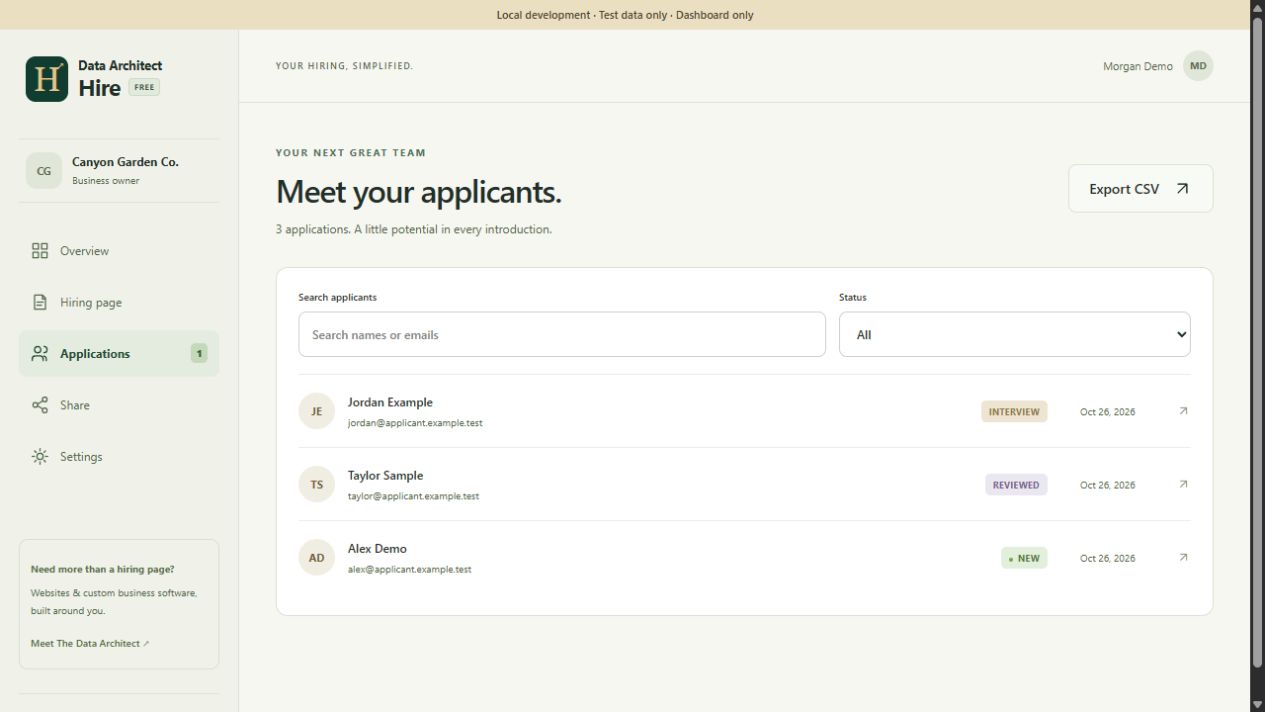
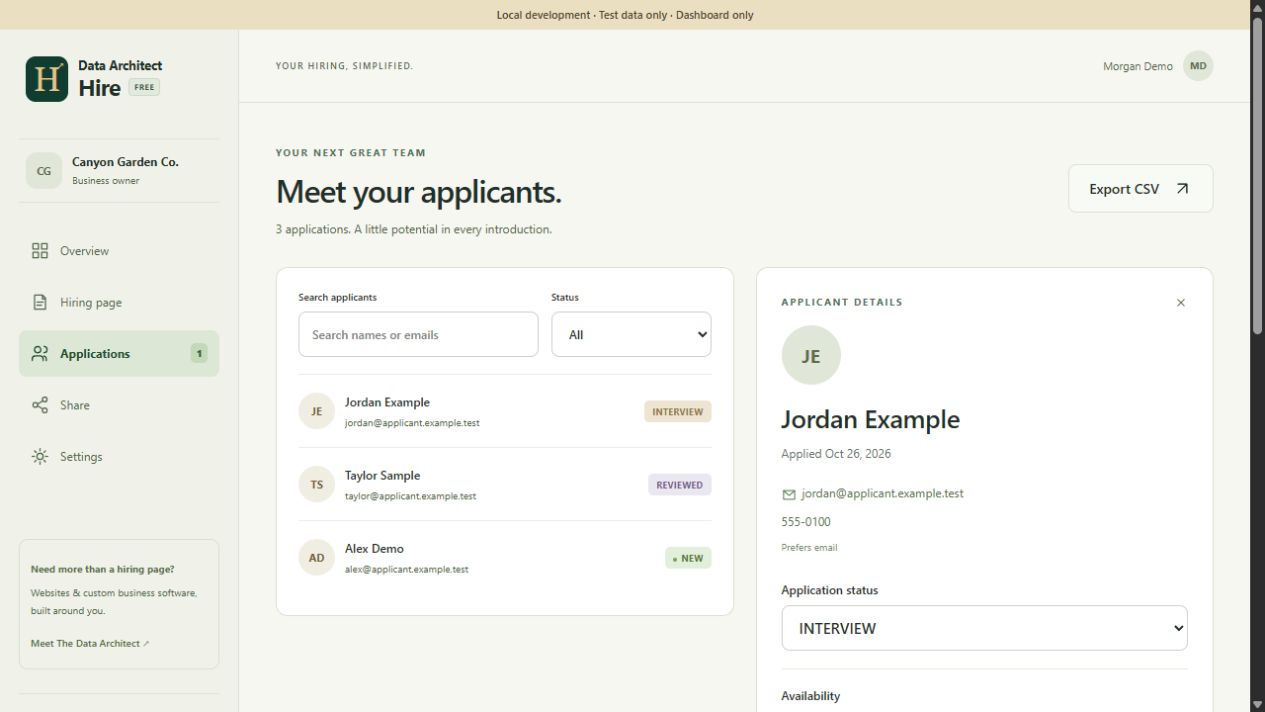
Applications arrive in the business workspace. Search the inbox, filter by status, open the person’s answers, and review their resume when one was supplied. Add a private note so the next action remains connected to the application.
 View screenshot ↗
The workflow supports New, Reviewed, Contacted, Interview and Closed. These stages record your process; they do not make the hiring decision. A useful note records what happened and what comes next, such as “availability discussed; follow up Tuesday,” rather than an unexplained label.
 View screenshot ↗
Export a CSV when you need to work with the records elsewhere. Treat exports as private hiring information: decide who should receive them and where they will be stored. Closing intake stops new submissions when the campaign is no longer active.
What happens behind the form?
The public page and private inbox serve different audiences. Hire’s backend validates submissions, associates them with the correct business and keeps resume files in private storage. The applicant does not need an owner account. Reading applications, changing statuses and opening private files require the appropriate workspace access.
Actual route shape · illustrative values · no credentials
POST /api/public/{business-slug}/applications
Content-Type: multipart/form-data
Idempotency-Key: {new-submission-id}

name: Alex Demo
email: [email protected]
availability: Weekday mornings
consent: true
resume: [optional PDF or DOCX file]
The submission identifier helps the server recognize a repeated attempt. That matters if a phone loses its connection after the first request. The business should receive one usable application rather than a confusing trail of duplicates.
For a larger staffing workflow, candidate records, client requirements, placements and reporting are separate design questions. Hire provides the application intake and review foundation. A tailored staffing system can be scoped around the additional relationships and handoffs a company actually needs.
What is included, and where does custom work begin?
Hire is currently free to use for its branded page, form, published link, QR sharing, application inbox, notes, statuses and CSV export. The current service is dashboard-led: it does not automatically email applicants or send application notifications. Review the dashboard and contact applicants through the details they provide. Uploaded resumes are not antivirus-scanned by Hire; use your organization’s normal file-handling precautions.
The result is practical for a local employer that wants a focused job application form builder without commissioning a whole recruitment platform. If you need an existing HR-system integration, multiple business processes, a custom approval path or different data-retention requirements, those become a separate software scope.
We work with businesses across Riverside and San Bernardino counties, including Yucaipa, San Bernardino, Rialto, Ontario and Rancho Cucamonga. The useful question is the same everywhere: what should happen after someone presses Submit?
Build your free application page ↗
See Hire inside the complete product showcase or explore how a custom staffing system connects the wider workflow.