
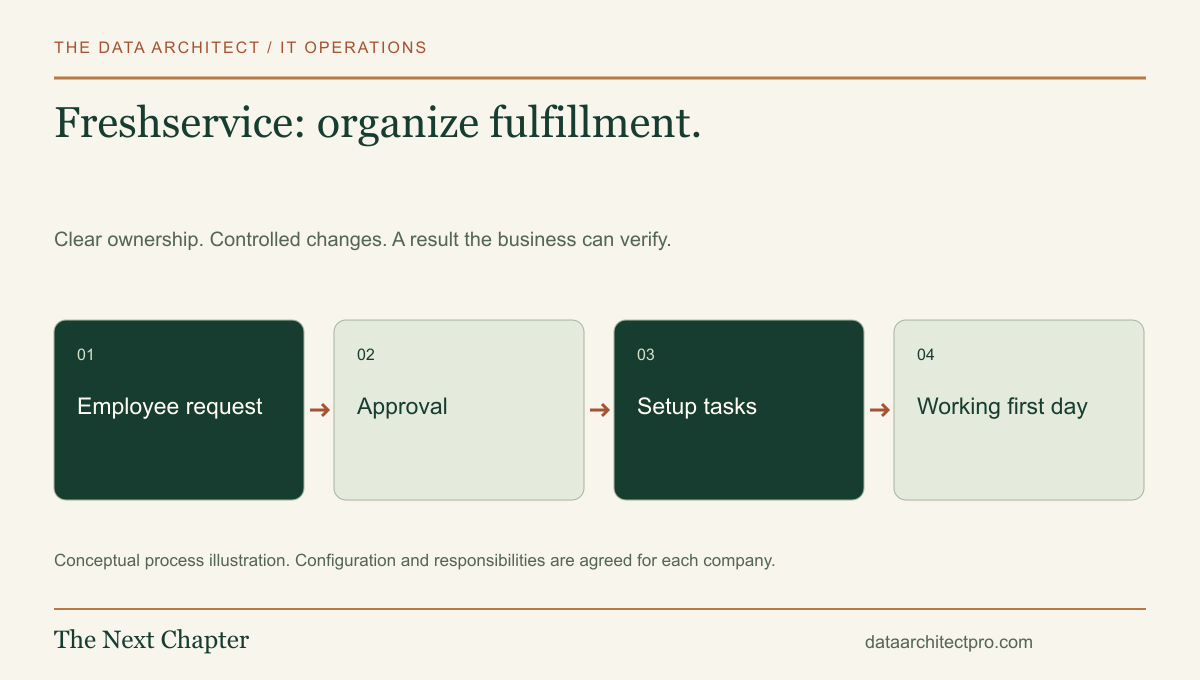
A new employee needs a computer, accounts and access to the right applications. Each part can have a different owner, but the employee experiences them as one first day. Freshservice can help organize that work through a service-management process. The important implementation decision is how the pieces stay connected.
Give repeatable work a recognizable entry point
A service catalog turns common needs into defined requests: set up a new employee, replace a device or request access to an application. This is different from reporting that an existing service has failed. The catalog entry should tell the requester what information is needed and what the normal approval path involves.
Freshservice documents service requests with additional items, including configuration-dependent child requests and fulfillment tracking. A parent request can represent the overall need while related work is handled separately. The account configuration determines exactly how that structure behaves.
Avoid turning the catalog into an internal technical encyclopedia. An employee should be able to recognize the service they need without knowing the names of the systems used to deliver it.
Walk an onboarding request all the way through
Consider an illustrative business with offices in Fontana and Ontario. A manager requests a workstation for a new employee and supplies the start date, location, role and approved applications. The request identifies the person responsible for approving equipment and access.
Once approved, the work is divided into equipment preparation, account setup and application permissions. Each task has an owner and a due date tied to the employee’s start. A technician records the device assigned, tests its network access and checks that the required application opens under the employee’s own account.
Before completion, the manager or designated recipient confirms that the agreed setup works. The handoff explains how to request help, where instructions are stored and who owns any outstanding item. A rejected software request should remain visible as a decision, rather than disappearing inside a completed onboarding ticket.
Understand the order of workflow actions
Freshservice’s workflow-order guidance explains that rule ordering can affect outcomes and that a later workflow can undo an earlier change. Its Workflow Automator FAQ also describes triggering and sequencing constraints. Check those rules for the current account before designing a chain of actions.
Write the intended process before building it: validate the request, establish the responsible team, obtain approval, create the fulfillment work and notify the requester. Decide what should happen if an approval is declined or an integration is unavailable.
Test one complete example and several exceptions. Include a missing manager, a changed start date, unavailable equipment and a request that is cancelled after some work has started. These cases are often where a neat diagram stops matching the real process.
Keep ownership and access information useful
A support team should be able to establish which device belongs to which employee and what the agreed configuration was. Connect inventory and request records through the supported features and integrations available in the chosen plan. Verify the relationship instead of assuming that two matching names identify the same person or device.
Define which system owns employee identity, device inventory and application access. A ticket can coordinate a change without becoming a second, conflicting personnel directory. When someone changes roles or leaves, the offboarding workflow should include account review, equipment recovery and ownership updates.
Restrict visibility appropriately. An ordinary support request rarely needs the contents of an employee’s private files or confidential personnel notes. Record the technical requirement and the authorization needed to fulfill it.
Evaluate a completed outcome, not just a finished task
For onboarding, measure whether the employee could work on the agreed first day, which tasks were late and where approvals stalled. For incidents, review restoration and repeated failures. The measures should reflect the service being delivered.
If the same request keeps failing at one handoff, inspect its information and ownership before adding another automation. A notification sent to the wrong person is still the wrong handoff, even when it is sent instantly.
Document the final workflow, test cases and administrative owner. Include a recovery procedure for failed integrations and a review date for catalog entries. That makes the setup maintainable after the initial launch.
Turn a catalog into a working IT service
I have experience with Freshservice and can help map requests, configure the agreed workflow, review integrations and prepare a practical handoff. The Data Architect serves businesses across Riverside and San Bernardino counties, including Beaumont, Banning, Rialto, Fontana and surrounding Inland Empire communities, with remote support and on-site visits by arrangement.
Our IT department setup page connects service requests with computers, LAN/WAN planning, access and ongoing operations. Describe your company’s setup to start with a defined scope.
Examples are illustrative. Product capabilities vary by edition and configuration. No Freshservice vendor certification or partnership is claimed.