RIVERSIDE & SAN BERNARDINO COUNTIES

Build the IT function your business can rely on.

From the first workstation to a complete support workflow.

The Data Architect helps companies connect computers, LAN/WAN networks, account access, ticketing, remote support and business software into a defined operating process. Start with a focused improvement or plan the work in phases around the company’s size and needs.

Remote support plus on-site visits by arrangement · Scope, access, availability and pricing agreed before work

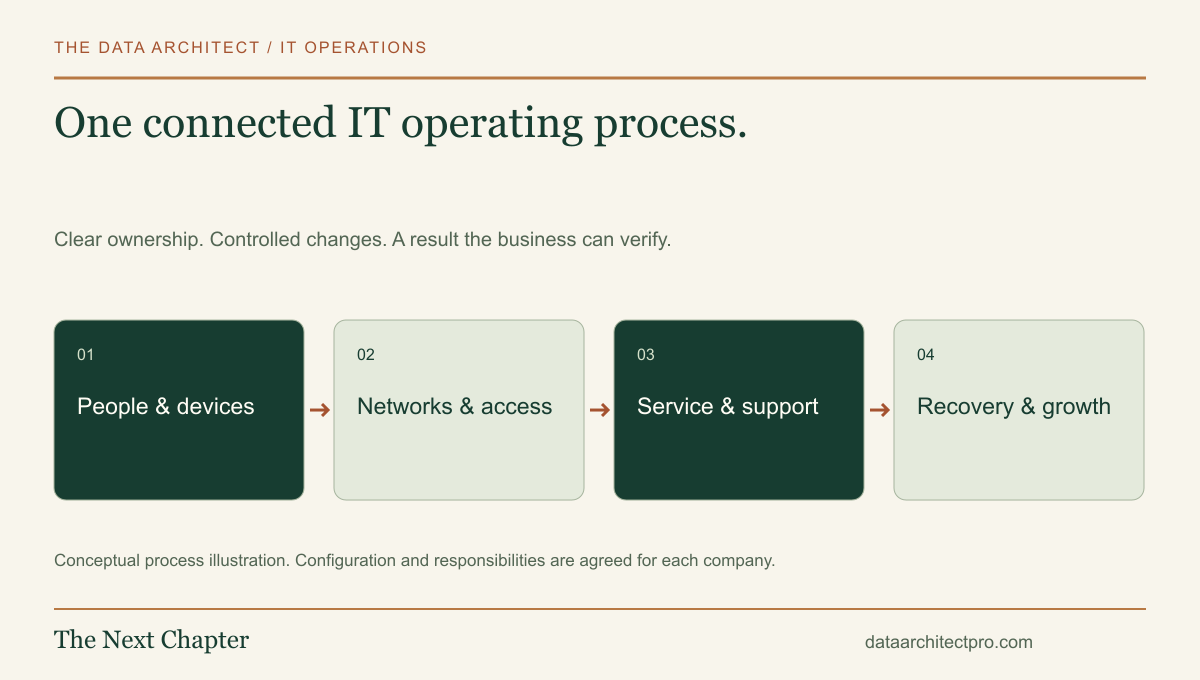
A connected IT operating process spanning people and devices, networks and access, support, recovery and growth.
One process connects the technical work to the people depending on it.
WHY AN IT FUNCTION MATTERS

Someone needs to own what happens next.

A company’s technology affects whether employees can work, customers can be served and important information can be recovered. Without clear ownership, small failures become repeated interruptions: the same account problem, an undocumented router setting, a new employee waiting for a computer or a backup nobody has tested.

An IT department is a set of responsibilities as well as a team. Those responsibilities include equipment, connectivity, identity, support, maintenance, recovery and planning. A smaller company can establish the process before hiring a large staff. A growing company can use it to make internal roles and provider responsibilities explicit.

The goal is an environment people understand, changes they can trace and a support path they know how to use. That is the foundation for managing cost, reducing avoidable downtime and adding new systems with fewer surprises.

ASSESS → BUILD → SUPPORT → IMPROVE

The complete IT delivery pipeline.

01 / DISCOVER

Understand the business before changing the technology.

Map the people, locations, applications, equipment, providers and recurring problems. Identify who owns accounts and configuration, what information matters most and which tasks cannot stop. The outcome is an inventory, a list of priorities and a scope the company can approve.

02 / CONNECT

Build the LAN and plan the WAN.

A LAN connects devices within a site. A WAN connects networks across a wider area. Plan switching, access points, cabling requirements, addressing, DHCP, DNS, routing, segmentation, firewall policy and links between locations. Check coverage, capacity, dependencies and recovery before making changes.

03 / DEPLOY

Install and prepare computers for real work.

Set up approved workstations, operating systems, drivers, updates and required applications. Record device ownership and configuration. Verify network access, peripherals and the employee’s actual tasks. Keep recovery information securely and leave a repeatable setup checklist.

04 / CONTROL ACCESS

Give people the access their role requires.

Establish named accounts, appropriate permissions, MFA and approved administrative access. Connect onboarding, role changes and offboarding to an accountable request and approval process. Document who can authorize access and how it is revoked.

05 / ORGANIZE SUPPORT

Give every request an owner and a next step.

Configure a service platform or build a custom help desk with understandable intake, categories, priority, assignment, communication and escalation. Separate incidents, routine requests and planned changes. Agree on service hours and response targets before displaying them as commitments.

06 / DIAGNOSE & RESOLVE

Use authorized remote access and purposeful site visits.

Confirm the requester and scope, gather evidence, explain the proposed action and obtain the required approval. Use remote support where it is appropriate; arrange physical checks when hardware or connectivity requires them. Retest the original task and record the result.

07 / CONNECT WORKFLOWS

Use integrations and AI for defined jobs.

Connect ticketing with inventory, approved remote-support tools, email and business applications. Use AI to prepare summaries, suggest categories and draft knowledge material for review. Keep access changes, device commands and consequential actions behind explicit authorization and verification.

08 / KEEP IT WORKING

Plan maintenance, backups and recovery.

Define responsibility for updates, backups, restore tests, recurring checks and actionable alerts. Document vendor contacts, configuration recovery and the steps needed when a system fails. Review the work required rather than assuming a backup icon or monitoring dashboard proves readiness.

09 / HAND OFF & IMPROVE

Give the company an operating record it can keep.

Deliver device and network records, support procedures, role responsibilities, integration ownership and a prioritized roadmap. Review recurring issues, waiting time and completed outcomes. This foundation can support your own IT staff, a shared arrangement or future internal hires.

Networking references: Cisco’s LAN explanation and WAN explanation. The implementation depends on your equipment, providers and approved requirements.

ONE EXAMPLE / FROM NEED TO HANDOFF

A new office, with a support process from day one.

Consider an illustrative company opening a Fontana office while managers work from Riverside. Discovery identifies staff, applications, devices and the relationship between locations. The plan covers workstation preparation, local switching and Wi-Fi, upstream connectivity, account access and the way employees request help.

Before launch, the team tests representative work: sign in, reach the business application, print where required and recover a test file. An employee onboarding request coordinates the computer, approved applications and permissions. A failed check becomes assigned work rather than an informal message with no owner.

After launch, a reported issue follows intake, triage, authorized diagnosis, an approved fix and user verification. The resolution becomes a useful support record. Repeated issues inform the next improvement, while device and network documentation give the company a reliable starting point for future changes.

This example describes the delivery method, not a claimed client engagement. The proposed phases, acceptance checks and handoff are agreed for the actual company.

PRACTICES THAT MAKE THE WORK REPEATABLE

Clear requests. Controlled changes. Evidence of completion.

Use established service-management practices to distinguish incidents, service requests, recurring problems and changes. ITIL’s service request management practice is one useful reference for organizing predefined user requests, roles and fulfillment. The practical implementation should fit the company’s people and responsibilities.

Access is limited to the agreed purpose. Important changes have an owner, approval and recovery plan. Resolutions include a test of the original business task. Backup plans include restoration. Documentation identifies who maintains the system after the initial project.

Verified training and practical system work.

Shayne Brown, founder of The Data Architect, holds the Google IT Support Professional Certificate, completed November 25, 2023, and is a Merit America graduate. The credential covers technical support, networking, operating systems, system administration and IT security fundamentals.

Verify the credential ↗

Platform experience and service practices are separate from vendor or framework certifications. Any contractual or compliance requirements are identified and scoped explicitly.

RIVERSIDE & SAN BERNARDINO COUNTIES

IT support across the Inland Empire.

Based in the Beaumont–Banning area, The Data Architect supports businesses across Riverside County and San Bernardino County. Remote support is available by agreement; on-site visits, travel and the required work are arranged individually.

Beaumont, Banning & Calimesa

The San Gorgonio Pass is home base. Discuss workstation installations, office connectivity, business applications and a clear support process.

Yucaipa, Redlands, Loma Linda & Highland

Remote assistance, device onboarding, Wi-Fi troubleshooting and help desk workflows for teams using shared business systems.

San Bernardino, Rialto, Fontana, Colton & Grand Terrace

Support for computers, LAN/WAN requirements, account access and the ticketing process that connects technical issues to accountable follow-up.

Riverside, Moreno Valley, Jurupa Valley & Perris

Plan a new office setup, improve an existing network or connect support requests with the software your business depends on.

Ontario, Rancho Cucamonga, Upland, Chino & Chino Hills

Review multi-user environments, device ownership, remote access and the handoffs between internal staff and outside providers.

Corona, Norco, Eastvale & Montclair

Bring workstation, network and business-software needs into one defined scope, with implementation checks and a useful handoff.

Hemet, San Jacinto, Menifee, Murrieta & Temecula

Build a support process for growing teams, new locations and repeatable employee setup. Lake Elsinore, Wildomar and Canyon Lake are also included.

High Desert & Coachella Valley

Remote inquiries are welcome from Victorville, Hesperia, Apple Valley, Palm Springs, Cathedral City, Palm Desert, Indio and surrounding communities. On-site feasibility and travel are confirmed individually.

Additional regional city guides are available on the IT support service-area list. Support arrangements are confirmed for the specific location and work.

START WITH A DEFINED FIRST PHASE

Tell me what the company needs to make work.

Share the approximate team size, locations, affected devices, current systems and desired outcome. That gives us a practical basis for discovery, priorities and a proposal.

Start the company inquiry ↗
Call / TextStart a conversation