
Software can keep opening after its support period ends. That is why a lifecycle deadline is easy to overlook: yesterday’s spreadsheet may still work today. For a business, the question is whether the whole setup remains supportable, secure and dependable.
What changed this month
Microsoft’s Office 2021 end-of-support notice states that support ended on October 13, 2026. It says the applications may continue to function, but Microsoft no longer provides technical support, bug fixes or security fixes for that version. The notice also says there is no extension or Extended Security Updates program for Office 2021.
That does not mean every Office document stops opening on a particular morning. It means “it still launches” is no longer enough to establish that the installation is a supported choice. This article was checked on October 26, 2026; review the linked Microsoft notice when making a later purchase or migration decision.
Office and Windows have separate lifecycle and licensing requirements. A Windows security-update arrangement should not be assumed to extend Office 2021 support. Identify both products on each device rather than treating the computer as a single version number.
Find the version before planning a replacement
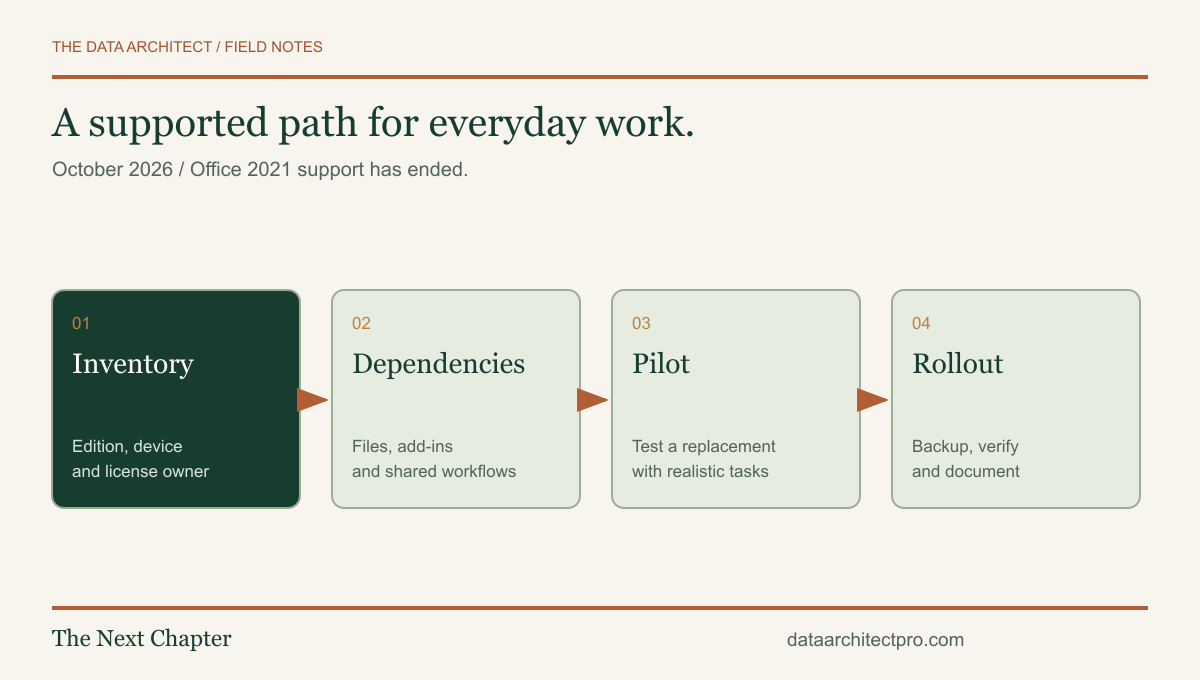
Build a short inventory of devices, the installed Office edition, the operating system, the account or license that activates it, and the person who uses it. Record whether the software is personally owned or managed by the business. An invoice for “Office” is not a complete inventory.
For a small Beaumont or Banning office, a simple table can be enough to start. Include shared computers and occasional-use machines. A rarely used reception PC can still hold a template or process that matters on the busiest day of the month.
Identify the owner of each recurring task: invoicing, mail merges, reporting, document signing or spreadsheet imports. Ask that person what would prevent them from working. The answer may be a particular add-in, printer setting or file shared with an outside organization.
Protect the workflow, not just the installation
| Dependency | What to test |
|---|---|
| Spreadsheets | Formulas, external data connections, macros and the expected output. |
| Documents | Templates, fonts, page breaks, labels and PDF exports. |
| Mailbox access, shared calendars, contacts and any local archives. | |
| Add-ins | Vendor support for the proposed replacement and required installation permissions. |
| Shared files | Access, editing and version behavior for the people who collaborate on them. |
Do not delete the old environment or rely on an untested copy of the files before these checks. Preserve an approved backup and document the current configuration. For managed devices, work with the person responsible for licensing and deployment.
Choose a supported path and test it with real work
Compare options against the tasks you listed, the current licensing terms, total cost, collaboration needs and operating-system requirements. A subscription, a supported perpetual version and another productivity suite can have different tradeoffs. Verify current vendor requirements before purchasing; this guide is a migration framework, not a price quotation or a compatibility guarantee.
Start with a representative pilot device and copies of non-sensitive sample files. Have the person who normally does the work check the result. A spreadsheet that opens without an error can still produce a changed layout or break a downstream export.
For a Yucaipa company exchanging files with a San Bernardino customer, include that exchange in the test. The goal is a completed business task, not simply a successful software installation. Record what passed, what failed and how a rollback would work before rolling out more broadly.
Turn the deadline into a useful maintenance habit
Keep a small register of the software your business depends on, its support dates, its owner and the next review. Add a reminder before the next major deadline. A lifecycle check works best as a normal maintenance task rather than a purchase made during an outage.
If this review exposes an unsupported operating system, unreliable backup or confusing account ownership, scope those separately. Our guides to backup restoration and computer diagnosis help organize the next questions.
If you need a second set of eyes, request IT support from The Data Architect. I offer remote help and on-site visits by arrangement in Beaumont, Banning, Yucaipa, San Bernardino and the wider Inland Empire. We agree on the scope before making changes.