
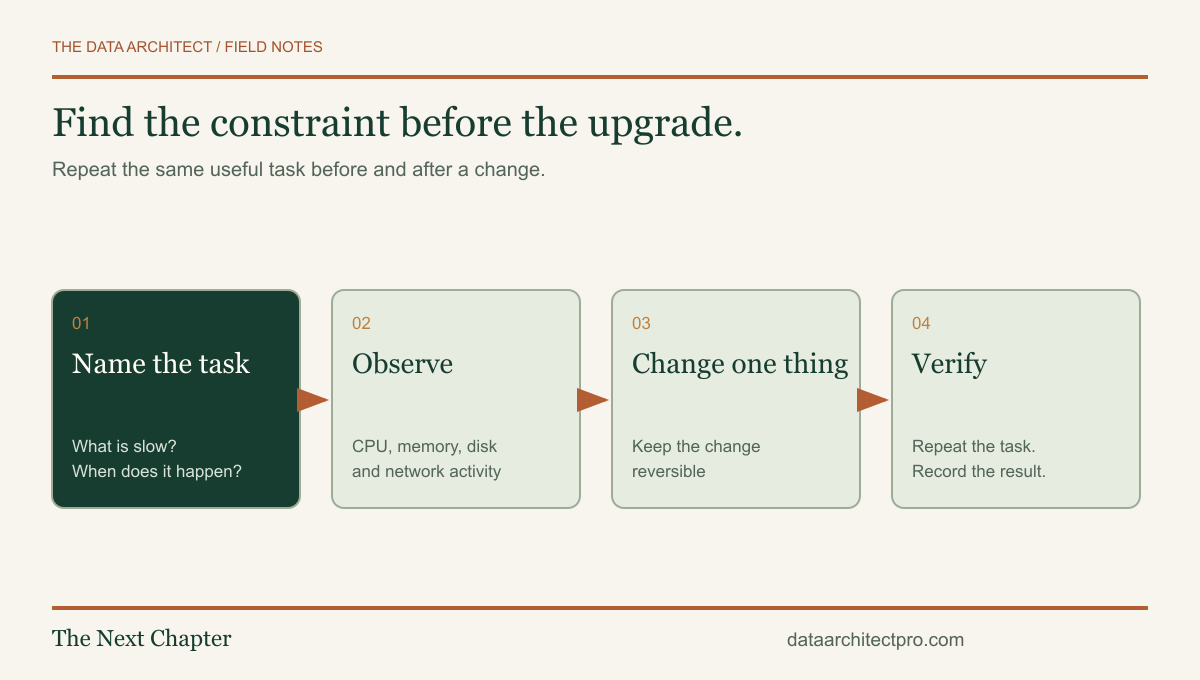
“This computer is slow” is a real frustration, but it is not yet a diagnosis. A machine that takes too long to start, a spreadsheet that freezes and a website that loads slowly can need very different fixes. Start with the task you want to get back to.
Describe a task, not just a feeling
Choose a repeatable example: opening the same document, signing in after a restart, exporting the same report or joining a meeting. Record roughly how long it takes and whether it happens consistently. Note whether the problem began suddenly or grew over time.
A Yucaipa business owner may spend most of the day in browser-based tools; a Redlands designer may work with large local files. Those workloads put pressure on different components. The best upgrade is the one that addresses the actual constraint, not the part with the most impressive advertising.
First protect important work. Confirm that the files you care about have a usable backup. If a drive disappears, makes unusual mechanical noises or repeatedly reports read errors, avoid repeated stress tests and get help with data preservation before attempting an ordinary performance cleanup.
Look at what the computer is doing while it struggles
On Windows, Task Manager can show processor, memory, disk and network activity. Observe it during the slow task. A short spike during an update is different from the same resource staying saturated every time you open a normal document.
High usage is a clue, not a verdict. A busy disk might be handling an update, paging memory, synchronizing files or struggling with a storage problem. High memory use can reflect useful caching; it becomes more meaningful when it coincides with paging and a repeatable slowdown. Read the symptom and the context together.
| Symptom | Useful comparison |
|---|---|
| Slow only after sign-in | Observe startup apps and background tasks, then compare once they finish. |
| Slow only with many apps open | Repeat the task with unnecessary apps closed; watch memory and disk activity. |
| Slow only on websites | Compare another device on the same connection and a local document on this computer. |
| Slows after warming up | Check ventilation and manufacturer diagnostics; investigate heat or power limits. |
| Only one file or application fails | Try a known-good file and inspect the application, add-ins and storage location. |
Make reversible changes before buying parts
Microsoft’s Windows performance guidance covers startup apps, storage and resource monitoring. Review unnecessary startup programs, available storage and pending updates. Use your device manufacturer’s support tools for model-specific drivers. Keep security software enabled.
Do not begin with a registry cleaner, an unexplained “driver updater” or a script promising to disable dozens of services. That can create a harder problem than the original slowdown. Before uninstalling business software, confirm licensing, access to installation files and whether it stores any local data.
Storage cleanup deserves the same care. A Downloads folder may contain the only copy of a signed document. A synced folder can propagate deletions to other devices. Review what will be removed and retain a recovery path rather than treating every large folder as disposable.
When an upgrade makes sense
Memory: consider more RAM when the workload repeatedly exceeds the usable capacity and the machine supports an upgrade. Check the exact model, slot availability, memory generation and supported configuration. Some laptops have soldered memory.
Storage: an appropriate SSD can help a system constrained by an older hard drive, but it will not resolve every application or internet delay. Plan the migration, backup, encryption recovery key and boot configuration before replacing the original drive.
Cooling and power: blocked vents, a failed fan or a problematic power adapter can reduce performance. Cleaning and inspection should follow the manufacturer’s instructions. Swollen batteries, burning smells and liquid damage require a different response from routine tuning: stop using the affected device and arrange appropriate service.
Replacement: compare the cost of the repair with operating-system support, workload requirements, reliability and staff downtime. A cheap repair is not automatically economical if the device can no longer run the business’s supported software.
Show that the repair solved the original problem
Repeat the same task under comparable conditions. Record the change, the result and anything still unresolved. A useful handoff might say that startup improved after removing an unused synchronization app, while the large reporting workbook remains limited by memory. That is more honest and more actionable than declaring the whole machine “optimized.”
For a San Bernardino team sharing equipment, also test the ordinary employee account. An application that works only when a technician signs in with different permissions has not been fully checked for daily use.
Read the network troubleshooting guide if the problem follows the connection, or the illustrated PC-building guide if replacement is the right next step.
If you need a second set of eyes, request IT support from The Data Architect. I offer remote help and on-site visits by arrangement in Beaumont, Banning, Yucaipa, San Bernardino and the wider Inland Empire. We agree on the scope before making changes.