
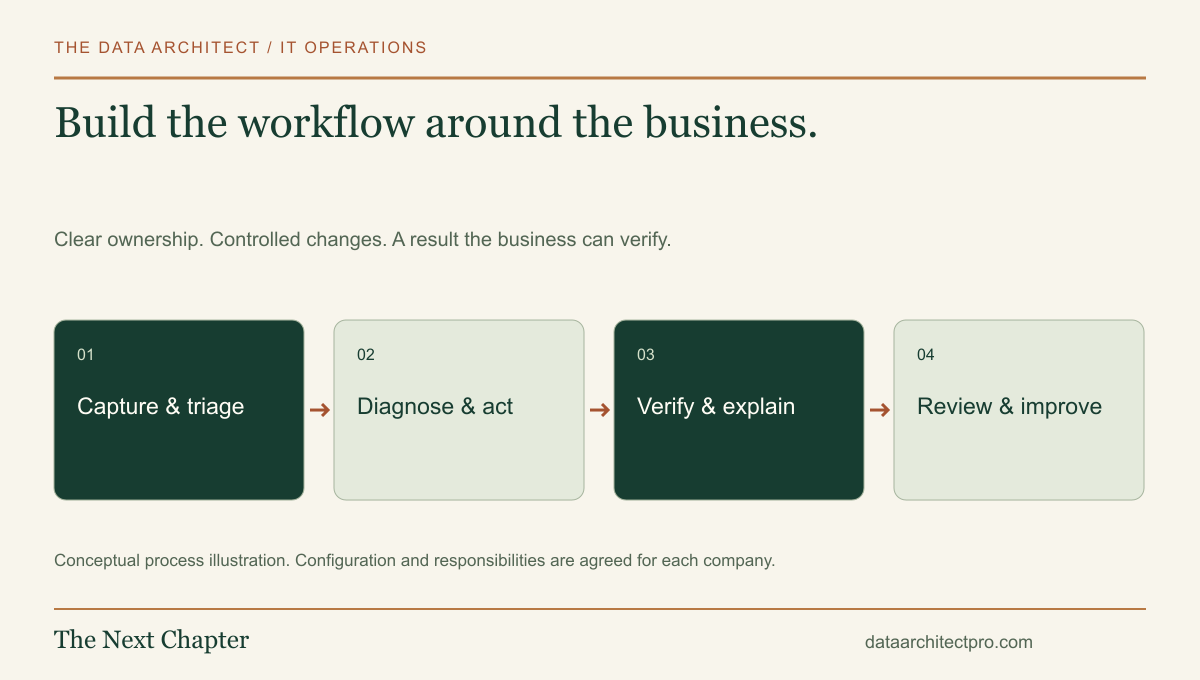
A modern ticketing system should make support easier for the person asking and clearer for the person doing the work. The form is only the beginning. The real product is the connected workflow behind it: who owns the request, what information they need, which actions are authorized and how everyone knows the problem was resolved.
Decide what needs to be custom
Start by comparing the requirement with the tools the company already has. ServiceNow, Jira Service Management, Zendesk, Freshservice and ConnectWise can support established service processes. A custom system becomes worth considering when the workflow, integration, user experience or data ownership requirement has a clear reason to differ.
For example, a company may want its support portal inside an existing employee application, with location-specific equipment, custom approval steps and reporting tied to its own operations. Another company may only need a better request form and a connection to its current help desk. Those are very different projects.
Define the benefit before selecting the technology. Record the ongoing owner, hosting arrangement, maintenance plan, backup responsibilities and expected support hours. A custom application is an operating system for a process, with continuing responsibilities after its first release.
Give the system a clear information model
The core records usually include people, organizations or departments, locations, assets, requests, comments, attachments, assignments and status events. Each has a different purpose. A device can exist before a ticket; a ticket can involve several devices; a comment can be public or internal.
Use stable identifiers and explicit relationships. Keep an audit trail of important changes, including the actor and time. Distinguish the current status from the history of how it got there. That history is what makes a later handoff or report understandable.
Define roles before building screens: requester, technician, team lead, approver and administrator may need different access. Enforce permissions in the backend as well as the interface. If a system serves several companies, test that one company cannot read another’s records by changing an identifier.
Walk a network issue through the whole pipeline
- Intake. An employee reports that the office cannot reach a shared application. The form captures the affected location, devices, business impact and symptom without asking for passwords.
- Receipt. The backend saves the request and returns a reference. A transactional email confirms receipt and explains the next step without inventing a response-time promise.
- Triage. An authorized person checks impact, urgency, duplicate reports and the responsible service. The system assigns an owner and records any escalation.
- Investigation. The technician links relevant devices and follows a diagnostic path through the computer, LAN, upstream connection and application. Findings remain attached to the request.
- Authorized action. A remote session or on-site visit follows the agreed access process. Material changes require the appropriate approval, a recovery plan and a record of what changed.
- Verification. The affected person repeats the business task. The technician records the outcome, workaround or remaining limitation.
- Resolution and follow-up. The requester receives a clear explanation. Repeat issues can create a separate investigation or planned improvement rather than vanishing in the closed queue.
- Review. Reporting shows aging work, repeat incidents, transfers and service outcomes. The team uses those findings to improve the system.
This is an illustrative design for a company with several Inland Empire locations—for example Riverside, Fontana and Beaumont. The same process can be scaled down for one office or adapted to a larger internal IT team.
Make the interface useful to both sides
Requesters need a short form, a reference, a readable status and a way to add relevant information. Technicians need a queue that makes ownership, priority, elapsed time and the next action obvious. Managers need exceptions and trends, not just a larger number of colored charts.
Use clear labels, keyboard access, readable contrast and layouts that work on a phone during an on-site visit. Keep internal notes visually distinct from customer replies. Make sending a message an explicit action with the intended recipient visible.
Support a useful handoff: symptoms, checks already performed, changes made and the next question. A technician should not need to read fifty messages to discover that the affected device has already been replaced.
Connect systems without losing control of changes
Possible integrations include email, identity management, device inventory, approved remote-support tools, monitoring and existing business applications. For each integration, specify which system is authoritative, the permission scope, the data exchanged and the owner of failures.
Use authenticated webhooks or supported APIs, server-side secrets and controlled retries. An event identifier can prevent the same notification from creating duplicate work. A failed email should not erase a saved ticket, and a retried form submission should not generate several copies of the same request.
Our own company inquiry flow demonstrates structured intake, a saved request, transactional acknowledgment and a private reply history. A client help desk builds on those foundations with the agreed roles, asset relationships, queues and service rules.
Use AI where its output can be checked
AI can draft a summary, suggest a category, find a relevant approved knowledge article or prepare a response for review. Show the source material and let an accountable person correct the suggestion. Evaluate the results using realistic examples before expanding the role.
Keep authorization separate from text generation. A model’s recommendation does not grant permission to reset an account, modify a firewall or run commands on a computer. The remote support and AI workflow guide explains the approval and verification points in more detail.
Prove the workflow before rolling it out
Test more than a happy-path submission: duplicate clicks, an unavailable email provider, a revoked user, an inaccessible attachment, a failed integration and a ticket reopened after resolution. Verify permissions with different roles and organizations. Test a restore from backup in an isolated environment.
Prepare the operating handoff: setup notes, data exports, recovery procedures, integration ownership and instructions for changing workflows. Agree on what is included in maintenance and who handles an urgent failure.
The Data Architect can design and build a custom ticketing system around the way your business operates. We serve Riverside and San Bernardino counties with remote work and on-site visits by arrangement. See the complete IT department workflow, then share your company’s requirements so the first phase has a clear scope.