
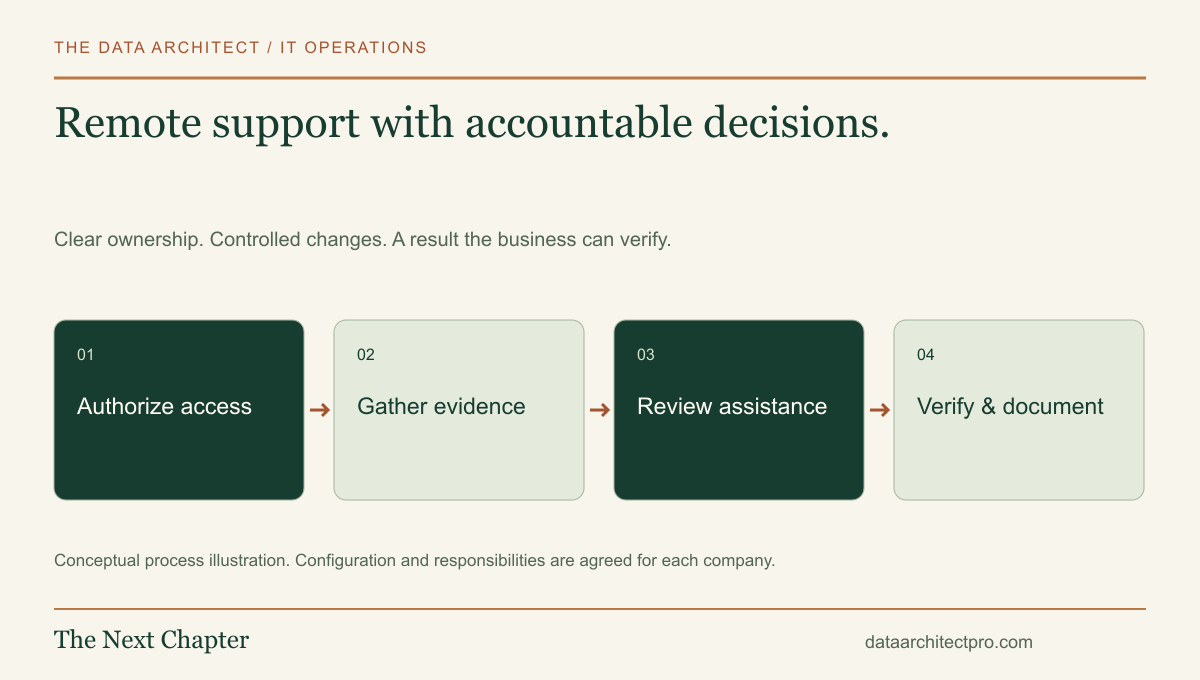
Remote support can bring a technician to the affected computer without requiring a drive across the Inland Empire. AI can help organize the information around that work. The useful combination is a controlled service workflow: a clear request, authorized access, evidence-based diagnosis, reviewed actions and a documented result.
Understand what remote support can and cannot establish
An approved remote session can allow a technician to inspect a visible error, review settings, guide a user and perform authorized software work. It can be useful for application issues, device setup, account configuration and some network diagnosis. The exact capabilities depend on the tool, device, network and permission model.
Physical problems still need physical evidence. A damaged cable, failed power supply or badly positioned wireless access point may require someone at the location. If the computer has no usable network path, remote control may be unavailable until local checks restore it.
The decision should follow the symptom. For an office in Rialto or Moreno Valley, starting remotely can help identify whether a visit is needed and what equipment or access would make that visit productive. On-site arrangements remain part of the scope, not a hidden assumption.
Establish permission before the session
Confirm the requester, the device owner, the intended work and the person authorized to approve it. Explain whether the session is attended, what the technician can see or do, and how it ends. Use the company’s approved tool rather than asking staff to install an unfamiliar utility without review.
CISA’s remote-access guidance explains both legitimate use and the abuse of remote tools. Its small-business MFA guidance calls for strong authentication on remote and privileged access. These are useful foundations for the company’s access policy.
Use named accounts, appropriate permissions and activity logging. Keep credentials out of tickets and chat messages. Any ongoing unattended access needs a separate business decision, defined administrators, an inventory of enrolled devices and a revocation process. Remove or expire access when the agreed need ends.
Follow one support request from symptom to outcome
- Capture the problem. A user cannot open the scheduling application. Record the error, business impact, affected device and whether other users have the same problem.
- Assign responsibility. A support owner reviews the request, checks existing incidents and agrees on a time for investigation.
- Authorize access. Verify the person and device, explain the intended checks and begin the approved session.
- Diagnose by layer. Check the application, account, local device and network evidence. Change one relevant variable at a time rather than trying unrelated fixes.
- Approve the remedy. Explain the proposed change and its impact. Obtain the required approval before elevated access, disruptive work or changes outside the initial scope.
- Retest the business task. Have the user perform the original action. Record the result and anything still unresolved.
- Close the access and document the work. End the session, record findings and changes, and identify the next owner if follow-up is needed.
This is an illustrative workflow. The right diagnostic sequence depends on the system and evidence; it is not a universal script for changing every computer.
Give AI bounded, reviewable jobs
A useful first task is summarizing a long ticket for the next technician. The summary can organize the symptom, checks already performed and unresolved questions. The technician should be able to compare it with the underlying record and correct errors before relying on it.
Other candidate tasks include suggesting a category, drafting a requester update, proposing search terms for an approved knowledge base and preparing a draft knowledge article after a verified fix. Evaluate each task with real-world examples that have been sanitized or approved for processing.
Treat incoming ticket text, attachments and retrieved documents as information, not authority to issue commands. They can contain misleading instructions. An AI assistant should not gain additional permissions because a message tells it to do so. Keep secrets out of model prompts and expose only the records needed for the approved task.
Review the provider, plan, data handling and retention terms before using company information. Measure correction time and error rates alongside speed. Our Claude and business software guide explains why funding headlines do not replace a workflow evaluation.
Make integrations traceable and recoverable
A help desk might connect the ticket to a device record, an authorized remote session and a monitoring alert. Use stable identifiers so those records can be matched reliably. Record what each integration is allowed to read or change and who owns its configuration.
Design retries so a timeout does not create duplicate tickets, duplicate emails or repeated changes. Show failed actions to an accountable person, and retain enough event history to investigate them. For sensitive changes, require a specific approval and keep the resulting action separate from an AI-generated draft.
Provide a manual fallback. If the model service or integration is unavailable, staff still need a way to communicate, record findings and complete the work. The support process should remain usable when an optional automation stops.
Use the result to improve the next request
A good handoff includes the observed cause or remaining uncertainty, the change made, the test performed and any follow-up. Repeated issues can inform a better configuration, replacement plan or knowledge article. Review who benefits from a proposed automation and whether it actually reduces work after checking and correction.
The Data Architect can help connect remote support, ticketing and custom software into a defined operating process for businesses across Riverside and San Bernardino counties. That includes Beaumont, Banning, Yucaipa, Redlands, Fontana, Rialto, Riverside and neighboring communities. Explore the full IT department setup pipeline or describe your team’s needs.